Learn more
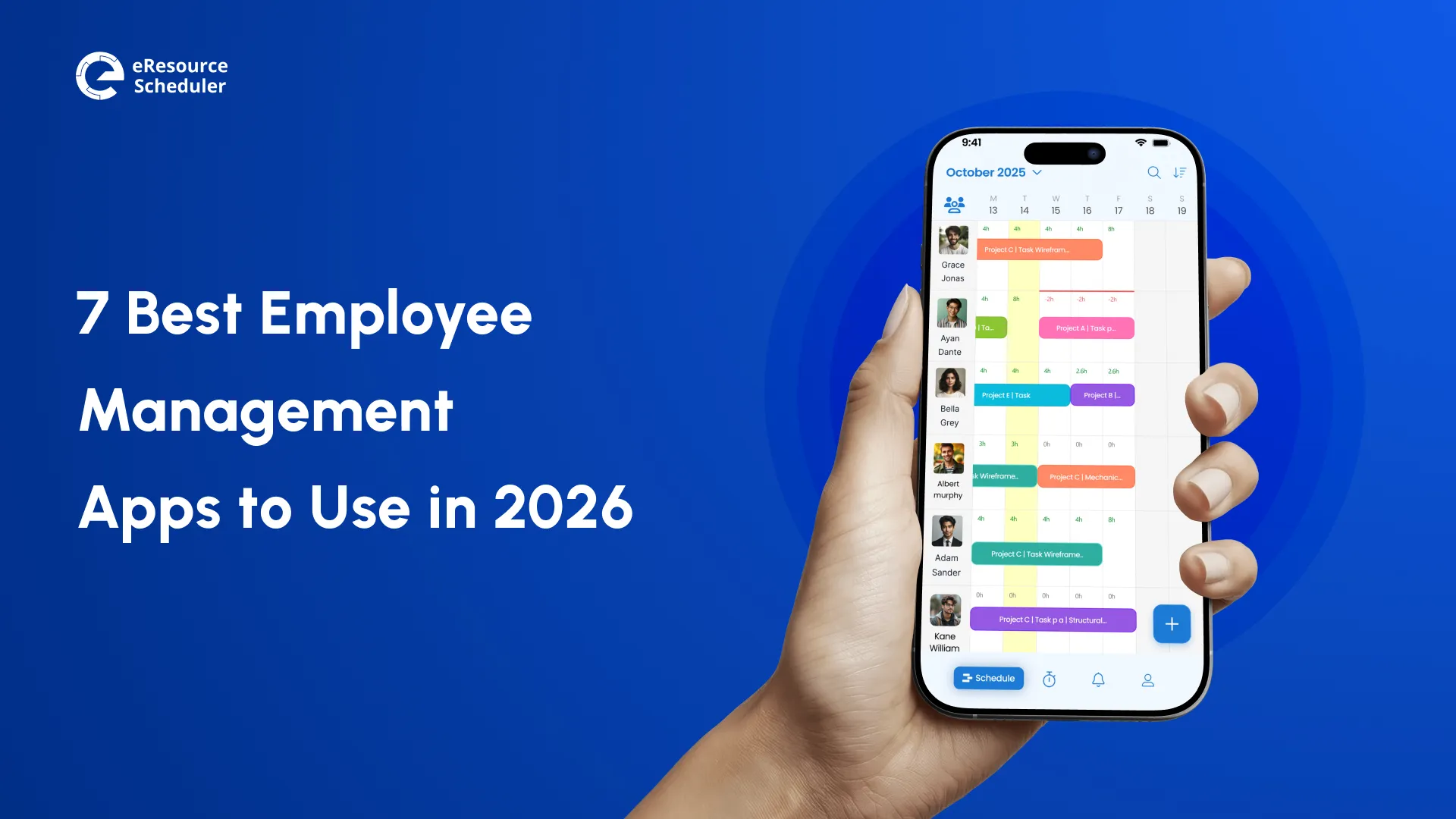
Managing a team sounds simple. Until you are staring at three overlapping shifts, a missed payroll run, and no clear idea of who is actually free next week. Even a 15-person team can fall apart real quick without the right employee management app keeping things together.
Whether you are scheduling restaurant staff early in the morning, allotting schedules to night shift workers, or assigning consultants across five different projects at the same time… The right tool is what separates putting out fires from staying ahead of them. If you are still figuring out how an employee scheduling app fits into your day-to-day operations, this is a good place to start before comparing specific tools.
Fun Fact:
The global scheduling software market was valued at $5.2 billion in 2024 and is expected to reach $12.4 billion by 2033, growing at 10.3% annually. Numbers like this only appear when businesses are actually getting results from the tools they are investing in.
In this guide, we will cover 7 main tools. We have judged each tool on one question: Does this tool actually fix a real problem, or does it just look impressive in a demo? We looked at features, current pricing, and how each tool fits different types of teams.
Before you start comparing tools, there is one thing worth clearing because it trips up a lot of buyers. Employee management and resource management are not the same thing. They overlap, but they solve different problems.
| Criteria | Employee Management | Resource Management |
| Primary Focus | Workforce admin and HR | Project-based allocation and utilization |
| Who Uses It | HR managers, ops leads, business owners | Project managers, PMOs, resource managers |
| Key Features | Scheduling, payroll, time tracking, comms | Capacity planning, Gantt, utilization reports |
| Best For | Day-to-day people operations | Multi-project delivery and forecasting |
| What It Tracks | Hours worked, attendance, leave, payroll | Resource availability, allocation, utilization |
| Example Tools | Connecteam, Sling, Gusto, BambooHR | eResource Scheduler, Float, Runn |
If your main challenge is spreading resources across projects rather than handling HR or admin, a resource management tool will probably serve you better. For most businesses, the right answer is a tool that can do both.
Now that the distinction is clear, here is how the top employee management apps compare and which ones fit your situation sufficiently.
Research on mobile-first workforce tools shows that the biggest factor in how easily adaptable a tool is whether employees actually use it in the long term.
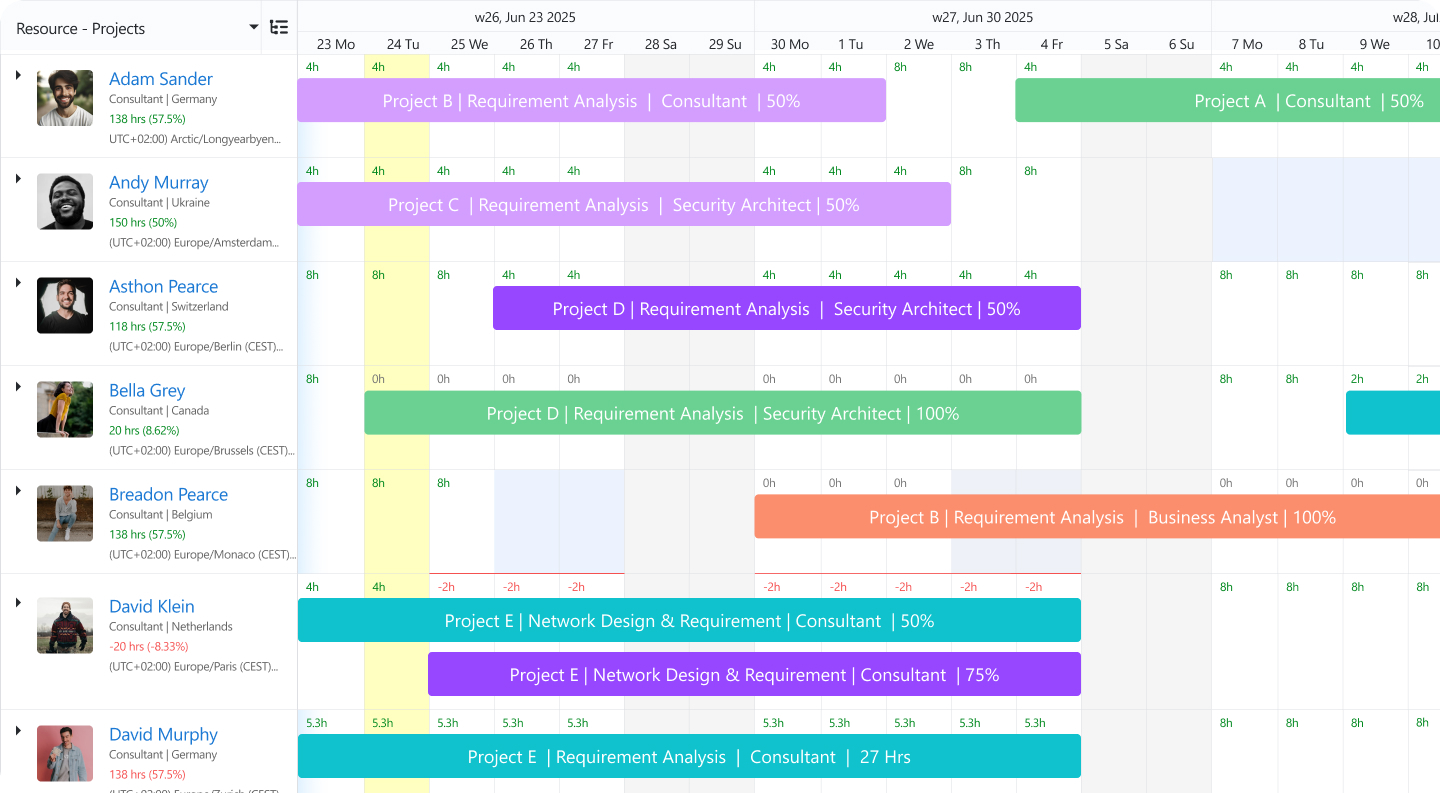
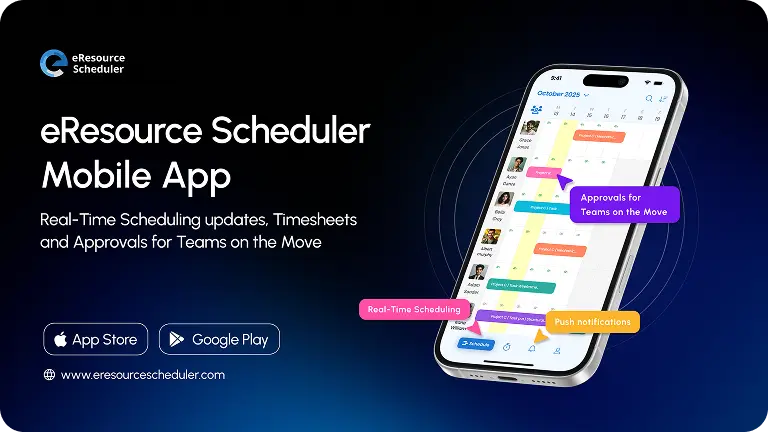
You might be wondering why eResource Scheduler, an all-in-one enterprise resource management software, is sitting at the top of an employee management list. It’s a fair question, and the answer is pretty simple.
For large businesses managing 50 or more employees across multiple projects or locations, the line between employee management and resource management basically disappears. You still need shift visibility and attendance records. But you also need to know if your team has the bandwidth to handle next month’s work.
Most tools on this list do one of these things well. eResource Scheduler does both. It brings scheduling, admin, and capacity management into one place. It works across industries from IT and consultancies to accounting, construction, and professional services. You do not need any coding knowledge to set it up or customize it. The system is built to be flexible. So you can configure it to match how your team actually works. Not the other way around.
Where eResource Scheduler truly stands out is in what it gives you all at once. Instead of juggling separate tools for scheduling, timesheets, capacity planning, and financial tracking, everything lives in one system. You see who is available, who is overbooked, and whether you have the capacity to take on new work. All without switching between apps.
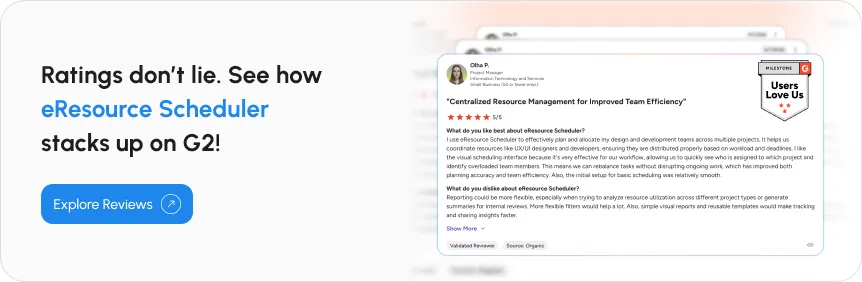
For large enterprises where this kind of visibility is the difference between a smooth quarter and a chaotic one, it is a real advantage. The pricing also reflects an enterprise setup built for teams managing significant headcount and multiple simultaneous projects. If you are running a small team with simple shift scheduling needs, one of the other tools on this list will be a better fit for your use case.
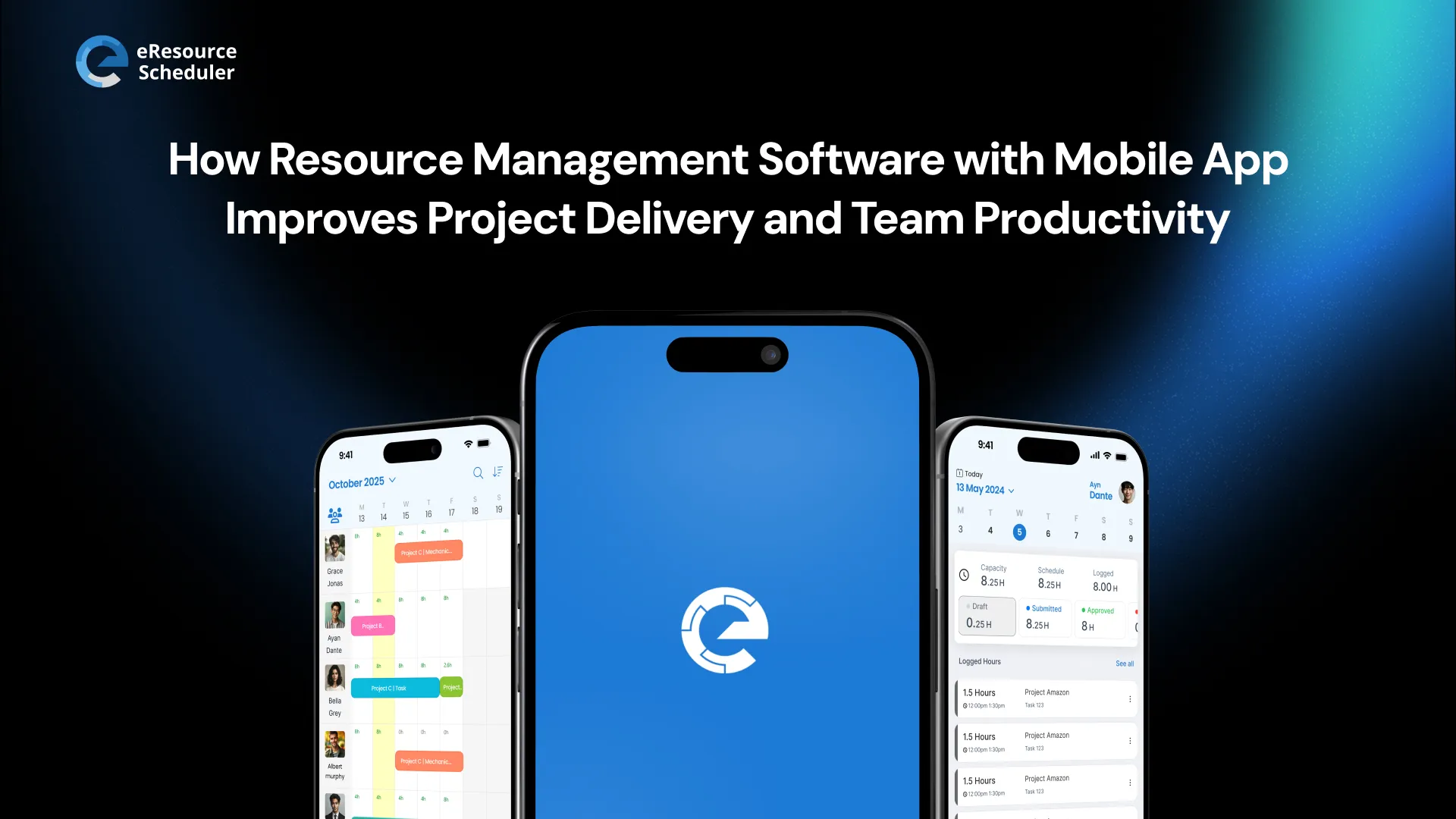
Key Features: Gantt scheduler, drag-and-drop scheduling, utilization tracking, capacity planning, timesheets, financials, demand forecasting, management reports, and mobile app.
Pricing:Module-based pricing options.
Pro Tip:
If your biggest pain point is figuring out who is available across projects and whether you have enough capacity for new work, look for software with Gantt-style scheduling and utilization tracking. Most standard HR tools do not offer this. eResource Scheduler does. It also does not require any prior technical knowledge to get started.
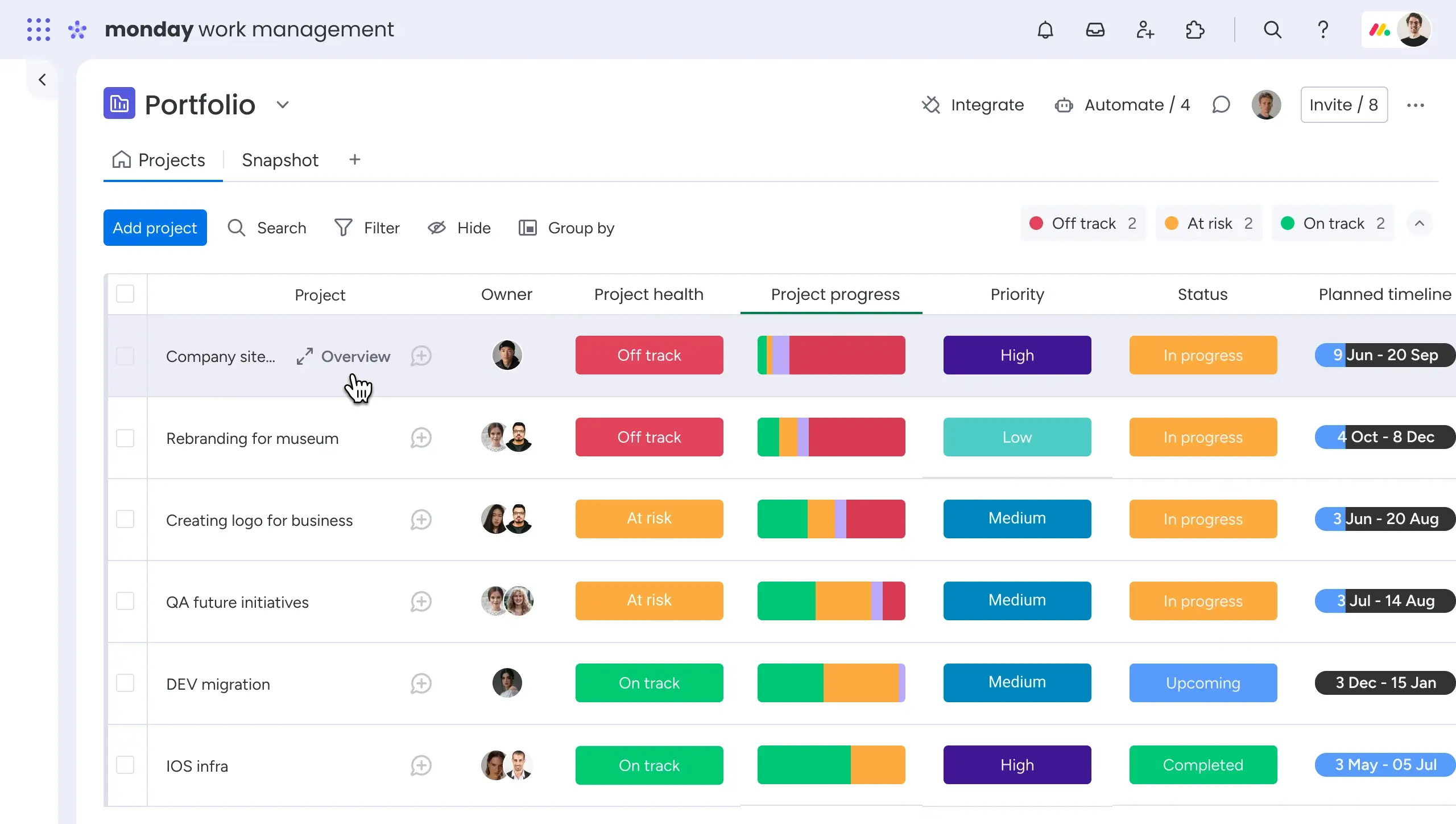
This software reorganized its product into four separate modules. Work Management, CRM, Dev, and Service. For employee management, this review covers Work Management.
Think of it as a digital workspace you can design yourself. AI credits are included in all paid plans. Which means you do not need extra software for task assignments, workload balancing, and status updates. This flexibility gives a big advantage, but it is also one of the biggest challenges. You start with a blank canvas and need to invest real time upfront to set things up properly. Teams usually skip this step and later end up with a messy pile of boards that nobody is using. If you are willing to put in the setup work, it pays off well.
This software also doesn’t go very deep on HR-specific needs. For growing businesses that just need a central place to manage work and people without these complications yet, it is a great fit. Once you need field worker scheduling or other HR requirements, you will need another tool alongside it.
Key Features: Customizable workflows, task and project tracking, automated time tracking, workload dashboards, and integrations.
Pricing: Plan-based pricing options.
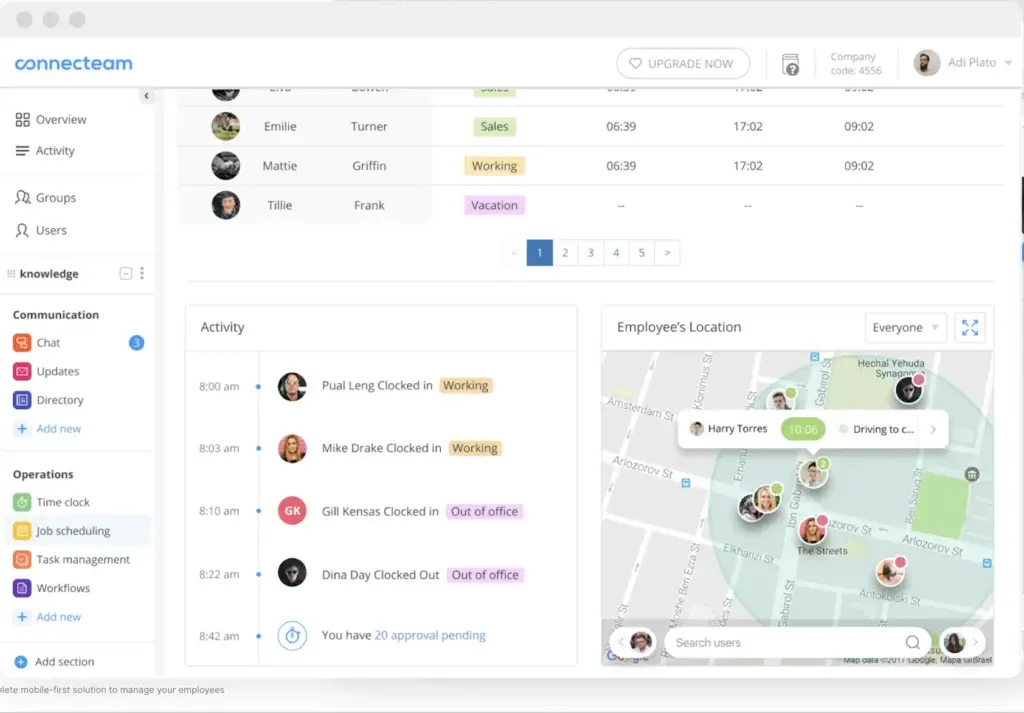
Here is the data worth pondering. 2.7 billion workers, around 80% of the global workforce, are deskless. They do not sit at a fixed desk, and they cannot easily access desktop software during their shifts. Despite that, only about 1% of enterprise software investment has historically gone towards building tools for them (Emergence Capital).
The neglect is showing up in numbers. Gallup’s 2026 State of the Global Workplace report found that global employee engagement dropped to just 20% in 2025. Frontline and deskless workers are disproportionately affected since most workplace tools are still designed for people sitting at desks. Ultimately costing the global economy $10 trillion in lost productivity every year. This is one of the few tools built specifically to fix this. It is designed for deskless and field workers. Construction crews, restaurant staff, retail employees, cleaning services, and field technicians.
The honest trade-off is scope. It is strong for field operations and communication, but it does not offer deep analytics, demand forecasting, or project planning. If your team is deskless and under 200 people, the app can handle most of your needs. If you need project-level visibility across multiple teams, you will need something more robust.
Key Features: Shift Scheduling, GPS time clock, team messaging, digital checklists, training modules, HR document management, and shift swapping.
Pricing: Plan-based pricing options
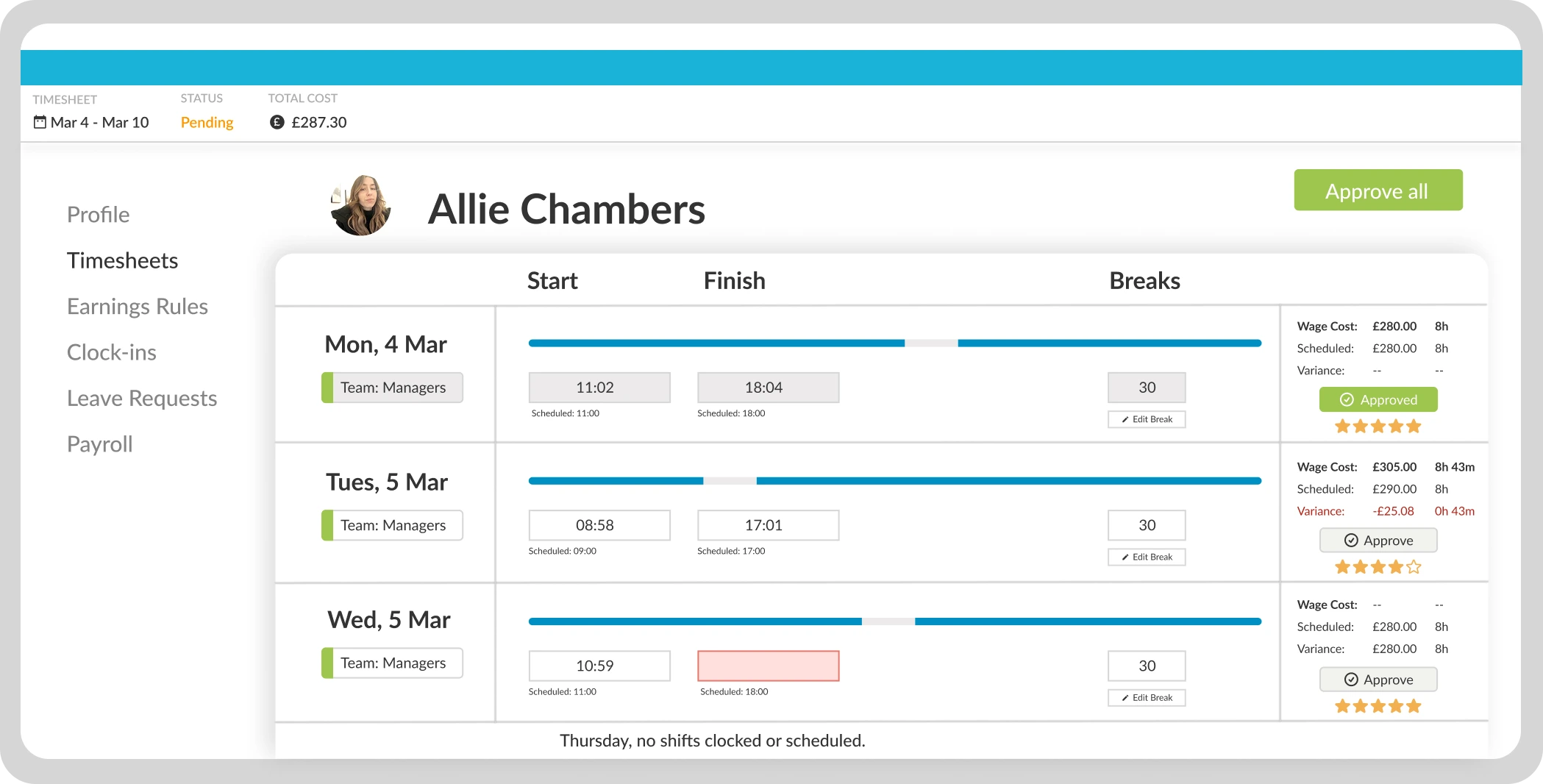
This tool is for industries where a scheduling mistake is not just inconvenient. It can mean a compliance violation. Healthcare providers, large retailers, and hospitality businesses use it to stay on the right side of the labor law while managing a large number of constantly changing shifts.
Did You Know?
Healthcare alone saw a 25% jump in workforce management software adoption. Largely driven by the pressure of managing staff with different credentials across unpredictable shift patterns.
The platform is built around compliance. Automatic labor law checks, schedule monitoring, and detailed audit trails. If you mostly need flexible, lightweight task tracking, all this compliance depth might feel like a roadblock. But if a single scheduling error at your organization could lead to a lawsuit or a regulatory fine, the thoroughness is exactly the point.
Key Features: Scheduling, time tracking, labor forecasting, HR payroll, and compliance management.
Pricing: Plan-based custom pricing options
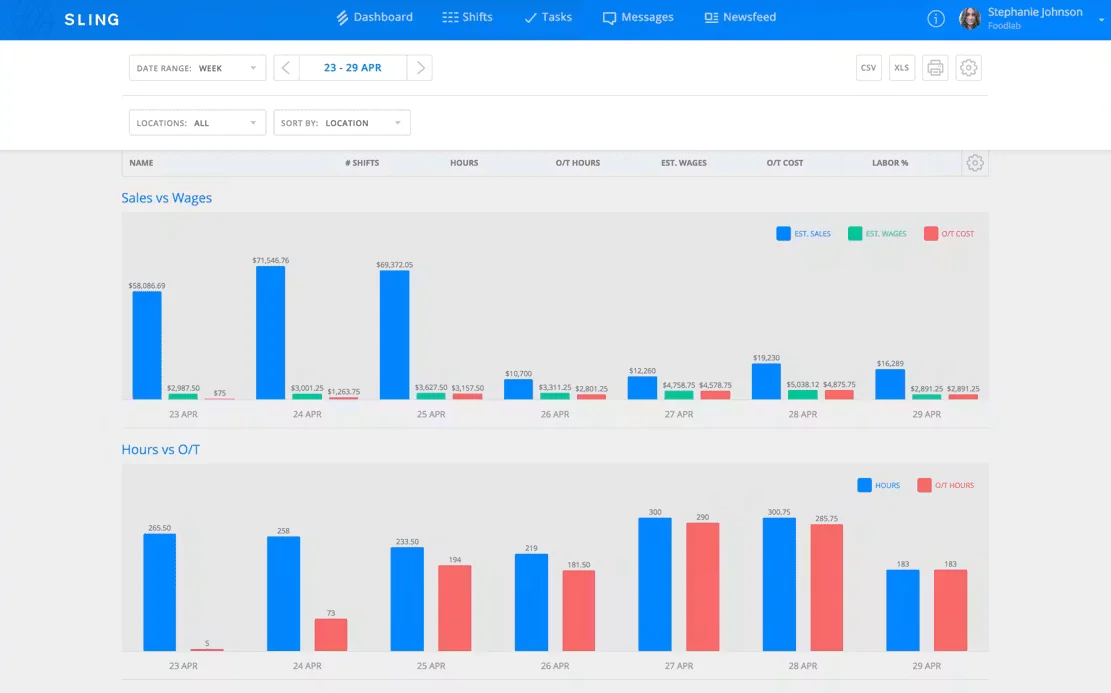
It is simple, affordable, and built for businesses managing a lot of hourly workers. The feature that really sets it apart is live labor cost tracking. You can see exactly what a schedule will cost you before you publish it. Not after the pay period is already over. For a tool at this price, this kind of cost visibility is genuinely rare and useful.
On the flip side, it does not try to be a full HR platform. There is no performance management, no onboarding flow, and no compliance engine for complicated labor laws. For a firm where the main problem is publishing schedules without worrying about labor budgets, this narrow focus is a strength. For businesses that also need HR depth, this tool works best as the scheduling layer paired with a separate HR tool. Not a standalone replacement alone.
Key Features: Scheduling templates, shift swapping, GPS time clock, team management, labor cost tracking, and overtime tracking.
Pricing: Plan-based pricing options.
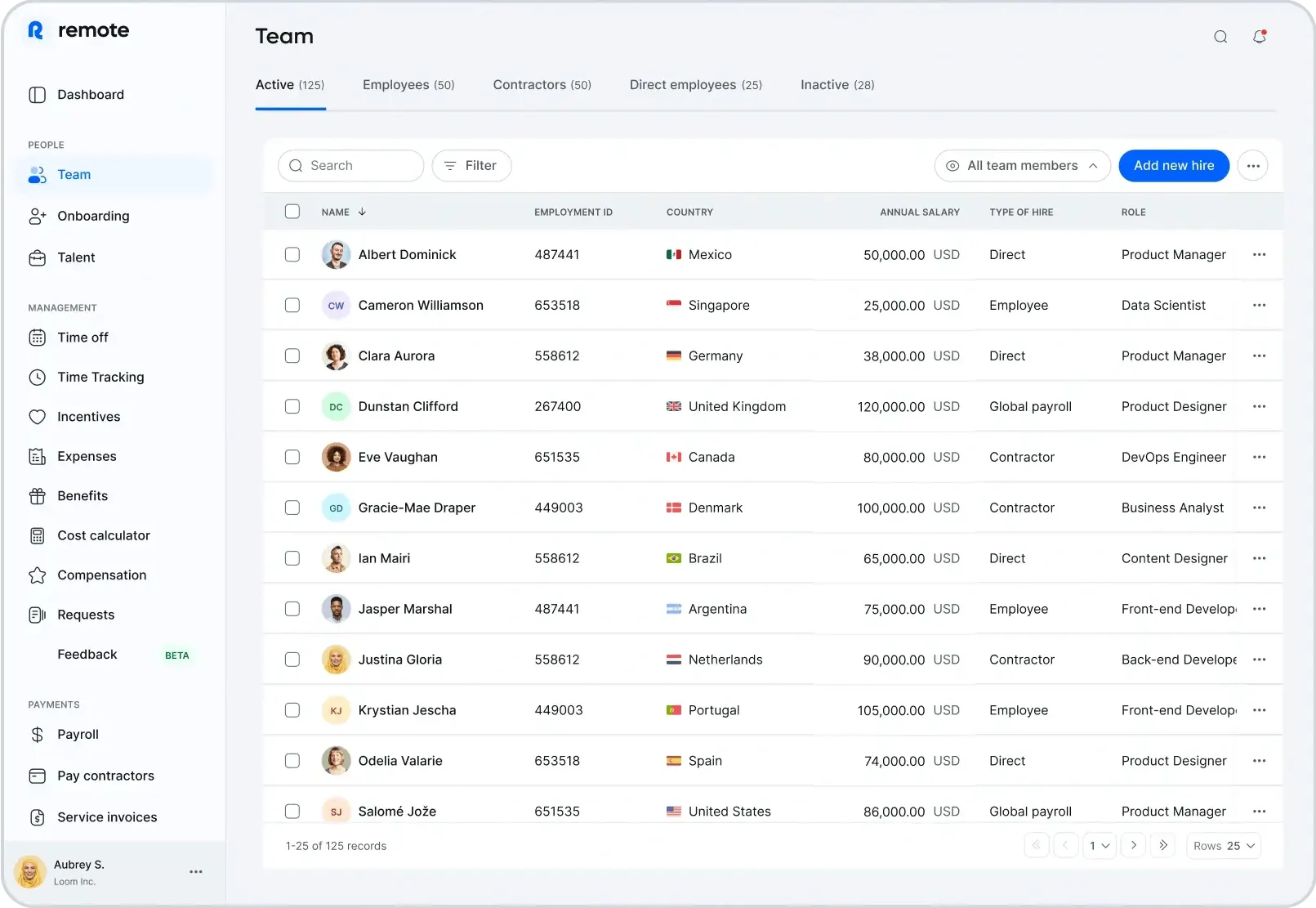
This is not a task management app, and it is important to say this at the beginning. If you want to manage what your team is working on day-to-day, other apps on this list would be a better choice.
It is a global Employer of Record (EOR) and payroll compliance platform. This app is the right choice when your problem is hiring and paying people legally in multiple countries. Not managing projects once they are on board.
The case of using this platform comes from a real and growing problem. The global EOR market was valued at $5.97 billion in 2026 and is expected to reach $10.45 billion by 2035, growing at 6.8% per year. This growth is being pushed by a 35% rise in cross-border remote hiring and a 29% jump in compliance concerns around international employment. More businesses are hiring across borders, and more of them are finding out how legally complicated that is without a local entity in each country. This app takes care of the problem.
The price is the main concern that you should think through carefully. It starts at $699 per employee/month for EOR services. This is not a small expense. For a 10-person team spread across three countries, this adds up quickly. If your team is small, based in one country, and the real challenge is not legal compliance, then this tool is not for you.
Editor’s Note:
Before you declare the app too expensive and dismiss it, calculate what setting up your own entities in those markets would actually cost in legal fees, compliance work, and ongoing administration. For most businesses hiring across three or more countries, the EOR fee is the cheapest option by a significant margin.
Key Features: EOR services, global payroll, onboarding and offboarding workflows, HR document management, and contractor management.
Pricing: Tier-based pricing options.
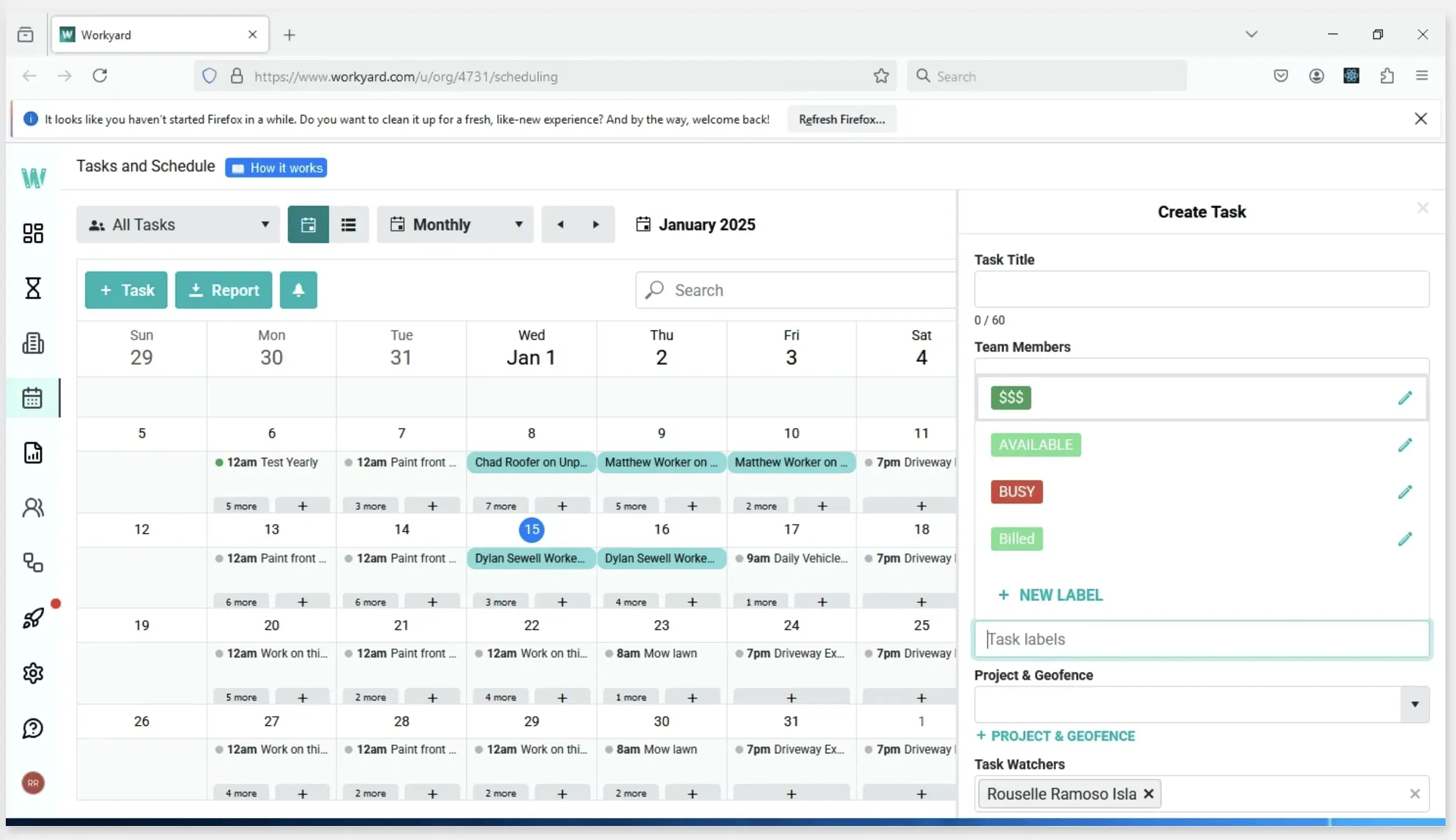
It is purpose-built for construction crews, subcontractors, and field service businesses where GPS tracking and job costing are not optional extras. They are the core parts of how the business runs. Getting time records wrong in construction does not create admin headaches. It quietly eats into your project margin before you even notice it happening.
If you are in the field trades, this app works in your favour. If you are outside these industries and just need basic GPS time tracking, or something else, a border tool will likely cost less.
Key Features: GPS time clock, prevailing wage support, crew scheduling, Smart Forms, payroll integration, ADP, and offline mode.
Pricing: Plan-based pricing options.
Now that you have seen all the 7 apps, here is a side-by-side view to help you get down to a shortlist of two or three before you start any free trials.
Not sure where to begin? Here is a snapshot of all seven tools in one place.
| Tool | Best For | Standout Feature | Starting Price (Annual) |
| eResource Scheduler | Large enterprises | Unified scheduling, utilization, capacity planning, and reports | $5/resource/month |
| Monday.com | Growing businesses | Fully customisable workspace that adapts to any team structure | $9/user/month |
| Connecteam | Small and deskless teams | All-in-one mobile platform built exclusively for deskless workers | $29/user/month |
| Workforce | Shift-based and frontline teams | Compliance-grade labor law scheduling for frontline industries | Custom pricing |
| Sling | Hourly teams | Real-time labor cost visibility built directly into shift scheduling | $1.70/user/month |
| Remote.com | Global remote teams | Owned-entity EOR infrastructure across 75+ countries | Custom pricing |
| Workyard | Construction and trades contractors | GPS time clock with automatic job costing per work order | $6/user/month |
A comparison table helps you make a shortlist. The next step is knowing how to check these shortlisted tools against what your business actually needs, not just how they stack up against each other.
Here is a simple way to match a tool to the biggest problem your business needs to solve.
1. Features and Ease of Use:
Start with scheduling and time tracking as your baseline. After that, filter by your biggest pain point. Around 72% of large companies adopted employee performance management systems in 2025. So check early whether your tools support it natively. A solid mobile app is also non-negotiable.
2. Pricing and Scalability:
Model costs at your expected headcount 12 months from now, not today. Some tools have steep price jumps at 25, 50, or 100 users.
Warning Callout:
Per-user pricing for add-ons looks affordable with 5 people, but it adds up fast and can easily double the base cost.
3. Integration:
Check payroll compatibility before anything else. No native connection means manual double entry every pay cycle. For teams managing work across multiple projects, a resource management software paired with an employee management app closes gaps neither covers alone. For a better understanding, have a go at resource management strategies alongside your research.
4. Security:
Before signing up, verify SOC 2 Type II certification, GDPR compliance, data encryption, role-based access controls, and SSO support.
The best employee management app is not the one with the most features. It solves your biggest problem without creating three new ones. A tool that looks great in the sandbox but falls apart with your actual schedule setup is not the right fit, no matter how smooth the sales process was.
Is your main challenge planning who works on what, tracking how your team’s time is being used, and figuring out whether you have capacity for new work? eResource Scheduler might be the solution you are looking for. It brings resource planning and workforce visibility together in one platform in a way most standalone HR tools simply cannot match.
For businesses thinking about workforce diversity alongside these tools, see our blog on managing diversity and inclusion.

Plan Smarter. Schedule Faster. For Free.
Join thousands already using eResource Scheduler to align teams, time, and tasks seamlessly.
 ALL FEATURES INCLUDED