Learn more

Built for engineering, consulting, accounting, architecture, and professional services firms of 100 to 5,000 people. Schedule people on projects with enterprise features at mid-market pricing. Live in 29+ countries.

Trusted by 850+ global enterprises across 29+ countries












Resource Management
See the Full Picture Before
You Make a Move
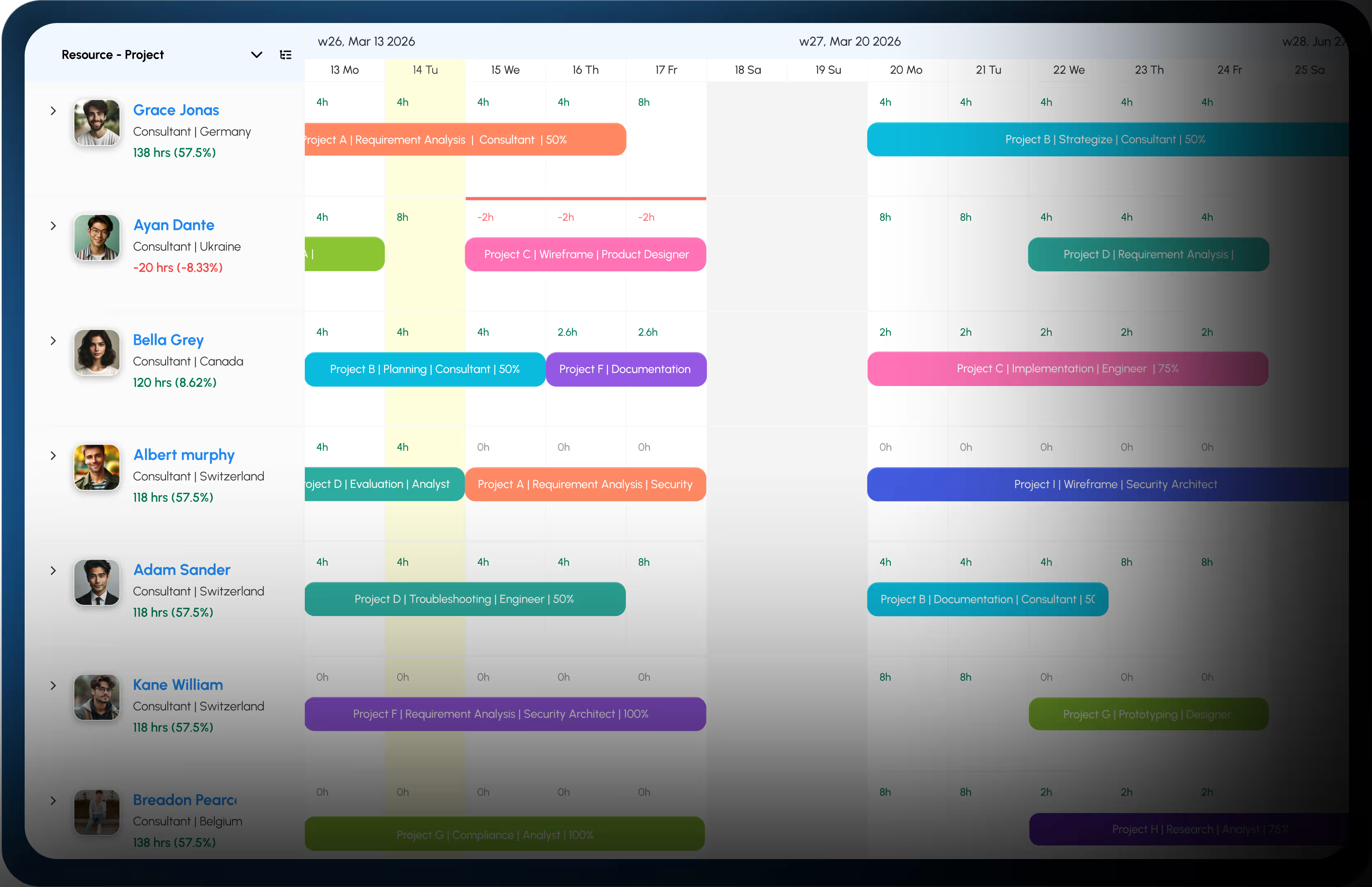
Get a bird's-eye view of every resource across teams, locations, and departments. Know who’s at capacity and who’s ready to go before you commit to the next milestone.
Resource Scheduling
Schedule Your Whole Teams
in Seconds
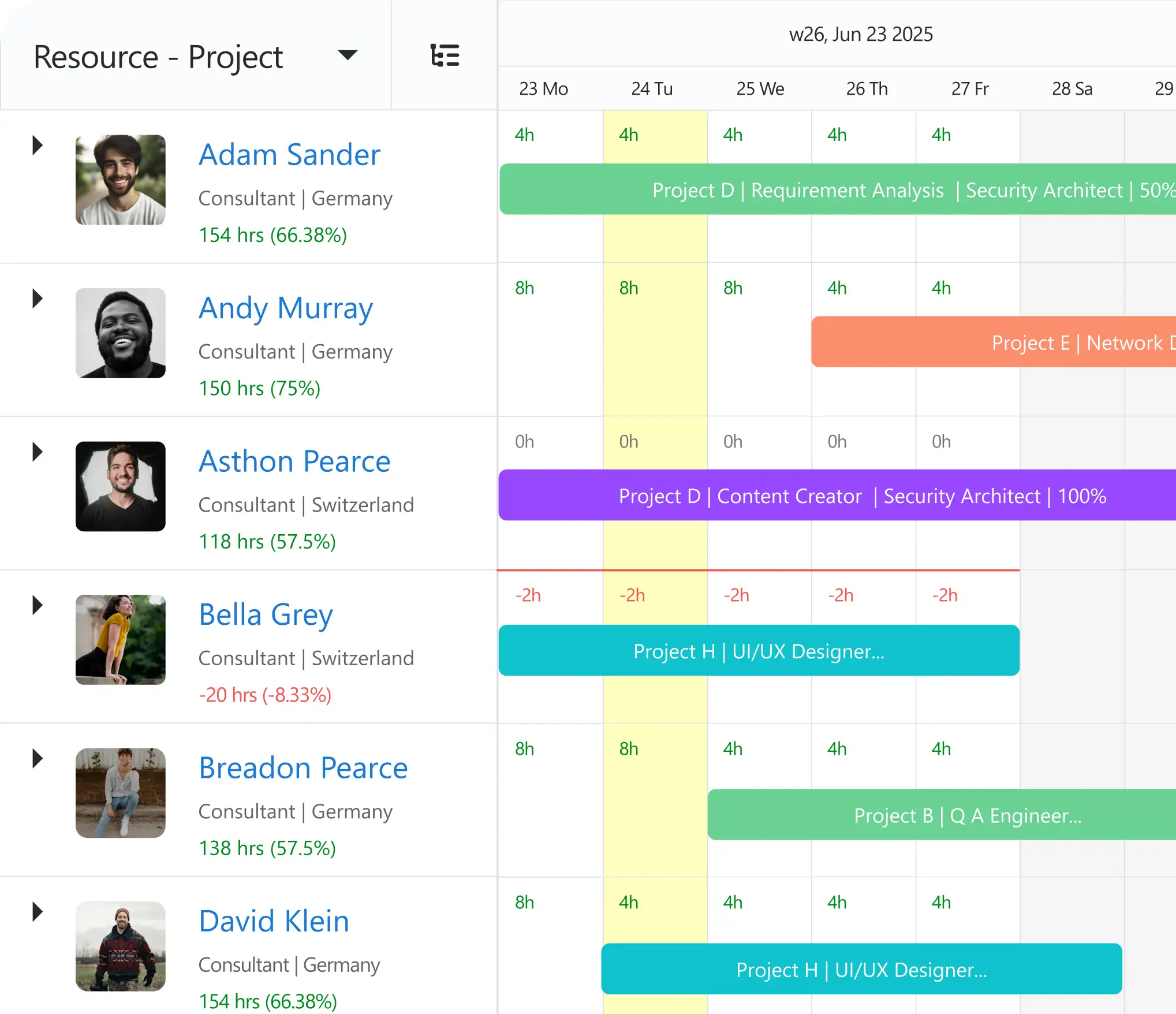
Build out schedules in seconds, shift bookings on the fly, and spot overloads the moment they happen. Just fast, clean scheduling that keeps every project moving.
Timesheets
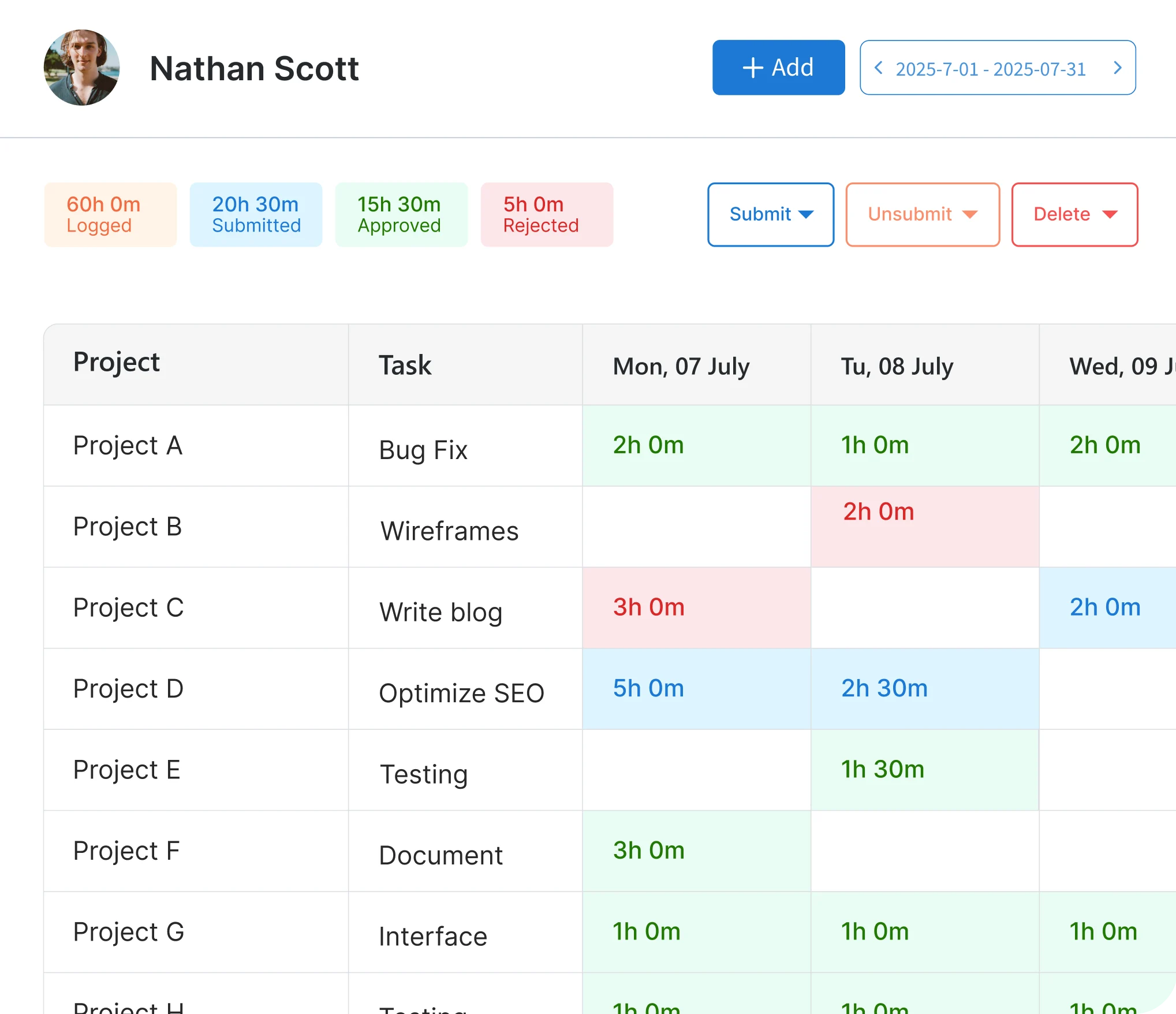
Timesheets That Tell the Truth
Know exactly where every hour went and what it cost. Compare planned vs actual work, keep billing accurate, and make decisions backed by real data instead of rough estimates.
Financials
Turn Schedules Into Dollars
Know if your projects are profitable before they finish. See exactly what resources cost, what clients pay, and where margins are slipping, so you can course-correct while there's still time.
Management Reports
See the Numbers That Actually Matter
Stop digging through data to find what matters. Get instant visibility into utilization, availability, capacity, gaps, and financials so every decision is backed by real numbers, not gut feel.
Resource Capacity Planning
Capacity You Can Count On, Not Guess At
See if you have the capacity to take on new work or if you're about to overload someone. Forecast demand, spot gaps early, and make resourcing decisions based on reality, not hope.

Connect eResource Scheduler with the tools that shape how work gets done.
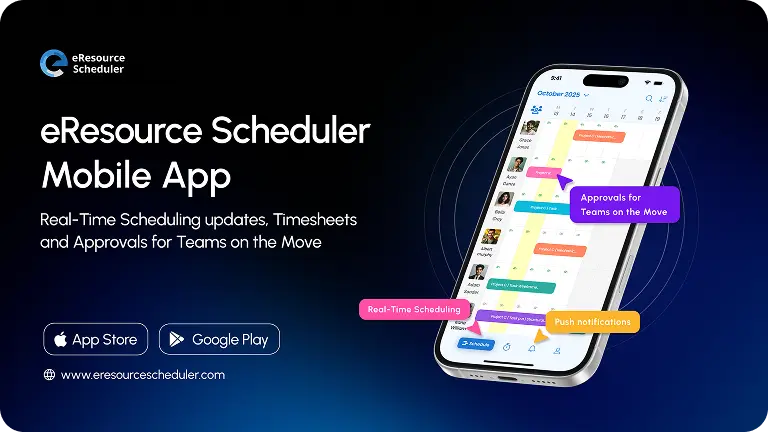
Resource scheduling and timesheets, reimagined for mobile. Schedule resources and manage timesheets wherever work takes you, with the eRS mobile app.
View & manage schedules
Get real-time visibility into schedules, teams, and projects so you always know what is happening wherever you are.








Schedule resources in seconds
Eliminate scheduling delays with instant, on-the-go resource booking and adjustments that keep teams productive.

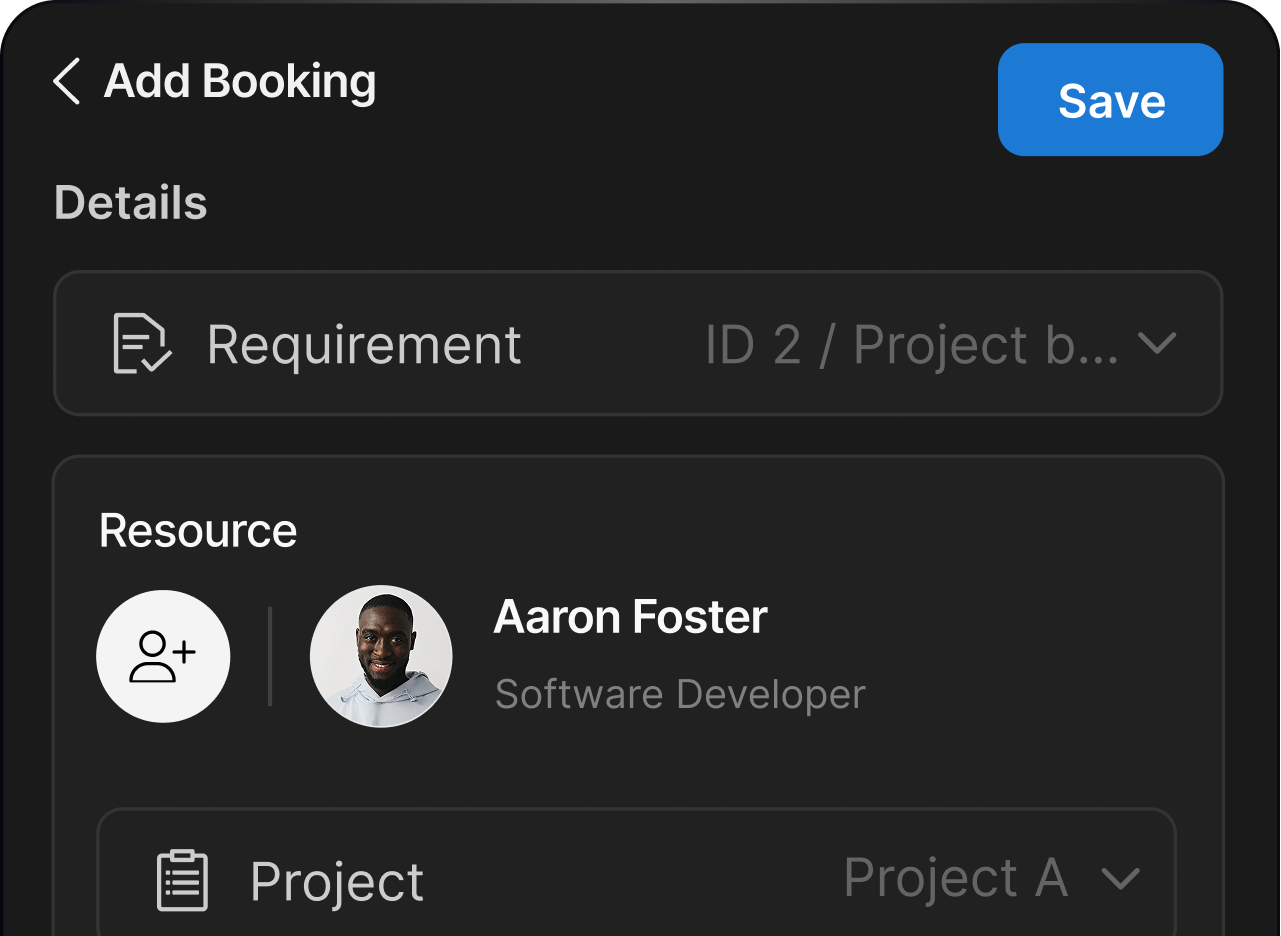

Submit or approve timesheets with a swipe
Keep projects accurate and on track by submitting or approving timesheets instantly in the app with a simple swipe.
Instant notifications
Never miss an update with live notifications that ensure everyone stays connected to critical updates and approvals.



30-Days Free.
No credit card needed.
Connect seamlessly with your project management, HR, and finance systems. eResource Scheduler enables automated updates, streamlined workflows, and better collaboration across teams.

RESOURCE MANAGEMENT
For teams at American Express, eResource Scheduler transformed resource management into a proactive process because coordinating global teams demanded clearer resource visibility. eResource Scheduler enabled real-time scheduling, reduced conflicts, and improved workload balance, helping managers allocate the right skills at the right time while keeping complex, high-stakes projects aligned and progressing without delays.
45%
fewer scheduling conflicts
30%
faster resource allocation
60%
better workload visibility

RESOURCE MANAGEMENT
TIMESHEETS
With eResource Scheduler, Little Red Zombie Studios connected resource scheduling and execution through integrated timesheet software. Real-time tracking revealed workload gaps early, helping managers allocate talent smarter and avoid delays. The studio moved from reactive coordination to structured delivery, with the help of easy timesheet entry and approvals, and drag-n-drop scheduling, thus enabling teams to stay creative while maintaining predictable project outcomes.
50%
faster timesheet approvals
40%
fewer missing entries
35%
better project tracking

TIMESHEETS
FINANCIALS
Connecting resource scheduling insights with financials, teams at Ramboll used eResource Scheduler to gain clarity on utilization, billable work, and profitability. Real time reporting supported accurate forecasting, minimized revenue leakage, and aligned resource decisions with financial goals, enabling leaders to optimize margins while maintaining operational efficiency across distributed project teams at global scale.
40%
faster financial reporting
30%
less revenue leakage
25%
higher billable utilization

FINANCIALS
CAPACITY PLANNING
With eResource Scheduler, John Holland moved from reactive scheduling to proactive resource capacity planning. Centralized visibility across crews and equipment eliminated clashes, improved utilization, and aligned field teams with leadership. The result is stronger utilization, fewer surprises, and predictable delivery even across complex, multi-site infrastructure programs with consistent performance and accountability.
35%
better resource utilization
50%
fewer scheduling clashes
45%
stronger capacity forecasting

CAPACITY PLANNING
MANAGEMENT REPORTS
With eResource Scheduler, Pini Group moved from fragmented spreadsheets to clear, data-driven oversight. Centralized management reports provided leadership with accurate utilization data, early risk visibility, and actionable insights. Teams aligned faster, resources were distributed smarter, and project delivery became more controlled, transparent, and scalable across geographically dispersed operations supporting sustained growth and confident executive planning.
60%
faster report generation
30%
quicker decision-making
50%
less manual reporting

MANAGEMENT REPORTS
RESOURCE SCHEDULING
7-Eleven manages thousands of store associates, trainers, and supervisors across multiple regions and time zones. Coordinating compliance certifications and role-specific training manually through spreadsheets was creating double-bookings, missed certification windows, and poor visibility for managers. The team started using eResource Scheduler to centralize training coordination, which reduced scheduling time and improved certification tracking across the workforce.
59%
less scheduling time
40%
fewer double-bookings
55%
better time tracking

RESOURCE SCHEDULING
Improve Resource Utilization By
23.6%

Reduce Scheduling Time By
72%
Increase On-Time Project Delivery By
38.9%
Cut Resource Costs By
19.3%
*Based on anonymized data from a client survey conducted in February 2026.
Every demo is different. Tell us your industry, your workflow, your challenges, we'll show you exactly how eRS solves them.
"I like the visual scheduling interface because it's very effective for our workflow, allowing us to quickly see who is assigned to which project and identify overloaded team members."


"I love how the eResource Scheduler makes it easy to understand team capacity at a glance and to quickly adjust assignments when priorities change."
"I like that eResource Scheduler is simple, visual, and easy to adopt. It gives me a clear overview of who is working on what, helps avoid scheduling conflicts, and replaces manual processes with a centralized system."
"eResource Scheduler helps quickly identify overlaps or gaps and make adjustments before they affect delivery timelines."
"eResource Scheduler gives a clear overview of who is assigned to each sprint phase and lets us map out each sprint phase clearly to avoid overlaps."
"I find eResource Scheduler particularly useful for balancing creative workloads. It's great for quickly adjusting schedules when priorities shift."
"I really appreciate how straightforward the scheduling experience is with eResource Scheduler. It's easy to see availability, make adjustments, and keep resources aligned without unnecessary steps."
"Being able to quickly see workload distribution across teams and adjust allocations in real time makes planning much more accurate and reduces delays in delivery."
"What I like best about eResource Scheduler is the interface, which is its biggest strength. Reporting on capacity views are also very helpful for planning ahead."
"I like eResource Scheduler because it makes planning resources much faster with its clear calendar view that helps us adjust schedules quickly."
Got Questions? We've Got Answers.
Everything you need to know about scheduling resources,
tracking time, and managing teams with eRS.
Who should use eResource Scheduler?
eRS is ideal for teams, managers, and organizations of all sizes looking to simplify resource management. Whether you're handling people, projects, or equipment, eResource Scheduler gives you clear visibility, smarter scheduling, and better utilization, all in one easy-to-use platform.
How can I improve my team's productivity and utilization?
With eRS, you can see who's available, who's overloaded, and where your resources are best allocated. Real-time dashboards, heatmaps, and alerts help you reduce idle time and overbooking, ensuring every team member is working at peak efficiency.
How is eResource Scheduler priced?
eResource Scheduler pricing is modular, meaning you only pay for the features you actually use. eRS charges a flat fee per resource, per month, starting from $5 per month. A resource can be a person, a piece of equipment, or a room: anything you need to schedule.
Can I get detailed reports on my team's capacity and workload?
Absolutely. eRS offers comprehensive, customizable reports about timesheet, project progress, availability, and utilization. These insights help managers identify trends, optimize schedules, and make data-driven decisions with ease.
What challenges can resource management software solve for growing businesses?
Growing teams often struggle with overbooking, missed deadlines, and inefficient resource allocation. eRS solves these by streamlining scheduling, improving visibility, boosting utilization, and providing actionable insights to keep projects on track and teams productive.
What is included in the free trial?
The eRS free trial lasts 30 days and gives you full access to every module: scheduling, timesheets, financials, and more. Explore with sample data or your own, and even get personalized support from an account manager for a smooth setup.
How secure is the data stored in eResource Scheduler?
eRS is SOC 2 Type 2 certified, ensuring enterprise-grade protection for your data. With industry-standard encryption, role-based access, and regular backups, your project and resource information stays secure, private, and fully compliant.
Can eRS manage non-human resources like equipment or rooms?
Yes. eRS isn't limited to people. You can schedule, allocate, and track non-human resources like conference rooms, equipment, or tools, ensuring everything your team needs is available when and where it's required.
How easy is it to onboard my team onto eRS?
Very easy. eRS offers intuitive setup, guided tutorials, and role-based permissions to get your team up and running quickly. Whether your team is small or spread across departments, onboarding is smooth and hassle-free.
Does this resource management software support remote teams?
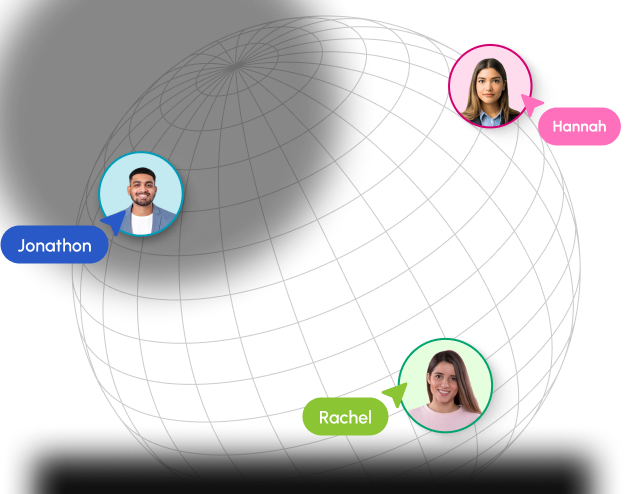
Yes. eRS is cloud-based, so distributed teams can access schedules, update availability, and collaborate in real-time from anywhere, perfect for remote, hybrid, or multi-location teams.
Is mobile access available for scheduling on the go?
Absolutely. eRS works on smartphones and tablets, letting you check schedules, approve requests, log hours, and update tasks on the move. Your team stays productive, even when they're away from the desk.
Is it possible to control who can view which schedules in eRS?
Yes. Role-based access ensures resources see only their schedules while managers get visibility into their team's calendar. This keeps sensitive data secure and makes managing multiple teams effortless.
 ALL FEATURES INCLUDED