Learn more

Employee scheduling has become one of the biggest drivers of productivity in today’s workplaces. Teams jump between tasks faster than ever, project timelines shift without warning, and managers need a reliable way to see who is available, who is overloaded, and who can take on the next priority.
With remote and hybrid work now fully normal, building the right schedule is no longer just an admin job. It is a core part of keeping teams steady and efficient. The right resource scheduling software gives managers a clearer view of workloads and helps people stay aligned without constant check ins or long email threads.
Employee scheduling affects every part of how teams work. When people know what they’re doing, when they’re doing it, and who they’re working with, projects move faster and stress levels stay low. When this alignment breaks, productivity drops quickly. That’s why scheduling has become a core part of how modern teams stay organized.
Work has become more fluid. People switch between tasks, teams share talent across projects, and managers need to plan around unpredictable workloads. Older methods like spreadsheets slow everyone down because they can’t reflect real time changes. Modern teams rely on schedules that update quickly and keep everyone on the same page without confusion.
When these issues pile up, even strong teams fall behind.
Good scheduling software does more than place names on a calendar. It gives teams the clarity they need to plan their day, manage workloads, and stay focused without constant back and forth. When the system reflects real time changes and supports accurate decisions, teams naturally become faster and more reliable.
Teams work better when everyone can see what’s happening. Real time visibility helps people stay aligned, avoid overlaps, and pick up tasks confidently. When updates appear instantly, managers don’t waste time chasing information or fixing avoidable errors.
Strong scheduling tools show who is available, who has the right experience, and who might be overloaded. This helps managers assign work with more fairness and accuracy, which keeps tasks moving and reduces last minute reshuffling.
Managers save time, avoid double bookings, and reduce frustration. Better assignments mean fewer delays and fewer moments where work stops because the wrong person was scheduled.
Automation removes repetitive steps that slow people down. Instead of manually updating calendars, sending reminders, or fixing mistakes, the software does it for you. This frees up time for more meaningful work.
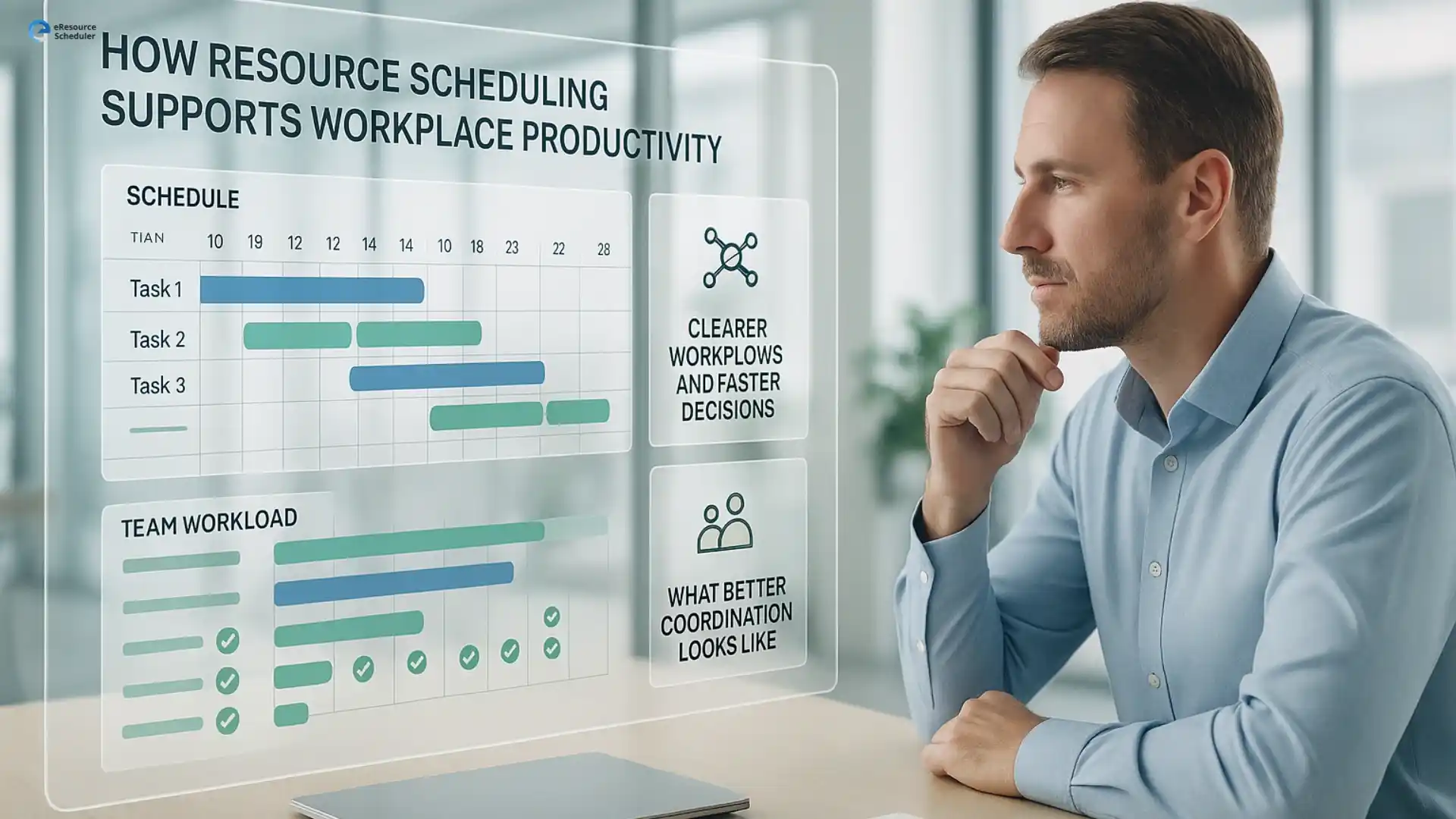
Better scheduling creates a work environment where teams stay aligned and projects move without constant firefighting. When managers have a clear view of workloads and timelines, they can respond faster, adjust plans easily, and keep everyone on track. This is where resource scheduling becomes a key driver of consistent productivity.
When schedules are accurate and updated often, teams waste less time waiting for instructions or clarification. Workflows feel smoother, communication becomes easier, and priorities stay clear even during busy periods.
These patterns help teams maintain momentum throughout the week.
eResource Scheduler is a resource scheduling software that helps teams stay organized, plan workloads with clarity, and move through projects without unnecessary delays. When schedules update quickly and everyone sees the same information, teams work with more confidence and fewer bottlenecks.
The strongest scheduling platforms support multi team coordination, show accurate availability, update plans in real time, and keep workloads visible without clutter. When a tool can manage all of this smoothly, teams finish tasks faster and adjust to changes without losing momentum.
More productive teams move steadily through their day. They shift between tasks without confusion, avoid repeating work, and rely on clear schedules to understand priorities. When every person knows what comes next, progress feels natural and consistent.
Many teams use scheduling tools to stay organized during fast moving projects. These tools help them manage shared skills, handle shifting priorities, and keep everyone focused on what matters most. When scheduling becomes clear and consistent, productivity rises naturally.
These situations test how well a scheduling tool supports coordination and speed.
These patterns show how the right scheduling approach can quietly reshape everyday work and help teams operate with more stability and speed.
Productive teams are built on schedules that people can understand and follow. When priorities stay clear and workloads feel manageable, the entire day moves with more ease. A strong schedule keeps confusion low, focus high, and progress steady. It supports better decisions, smoother handoffs, and fewer moments where people wait for clarity.
The real advantage is not a perfect plan. It is the calm that comes from knowing every task has a place and every person knows where they fit. When scheduling brings that level of clarity, work feels lighter and teams move with more confidence. Want to see how a clearer schedule changes the way your team works each day? Schedule a personalized eRS demo and start building plans your team can actually depend on.
1. How do scheduling tools make teams more productive?
Scheduling tools make teams more productive by giving everyone a clear view of tasks, deadlines, and workload. When updates appear in real time, people avoid confusion and move through work with more confidence. This reduces delays and keeps projects on track even when priorities shift during the week.
2. What should managers look for in employee scheduling software?
Managers should look for tools that offer accurate availability, simple adjustments, and real time visibility. These features help teams avoid overlapping work and missed priorities. When scheduling feels easy to manage, managers spend less time fixing conflicts and more time supporting the team’s day to day workflow.
3. Why is clear scheduling important for hybrid teams?
Hybrid teams depend on clear scheduling to stay aligned across different locations. When everyone sees the same plan, tasks move smoothly and people avoid waiting for instructions. This improves collaboration and keeps work organized even when teams split time between remote and in office routines.
4. How does better scheduling reduce slowdowns during projects?
Better scheduling reduces slowdowns by ensuring tasks are assigned at the right time and to the right people. When workload and capacity stay balanced, teams avoid bottlenecks and last minute changes. This leads to steady progress and fewer moments where projects pause because of unclear responsibilities.
5. What role does workload visibility play in productivity?
Workload visibility helps teams stay productive by showing who is free, who is overloaded, and where tasks might get stuck. When managers understand this clearly, they can plan more effectively. This keeps work balanced and prevents the stress that often slows people down.



Plan Smarter. Schedule Faster. For Free.
Join thousands already using eResource Scheduler to align teams, time, and tasks seamlessly.
 ALL FEATURES INCLUDED