Learn more
For years, employee scheduling software solved one problem: it got teams off spreadsheets. Managers had a central system, schedules lived in one place, and the chaos of email threads and version conflicts went away. That was enough, for a while.
Then smartphones changed the rules entirely. By the early 2010s, people were carrying full computers in their pockets. How we communicate, shop, bank, and work shifted permanently. Software that only lived on a desktop suddenly had a new problem: the desk.
A manager in a client meeting could not approve a timesheet. A field supervisor could not reassign a booking. An employee had no way to check their schedule without logging into a computer. The software was smarter than a spreadsheet, but it was still tethered to a chair.
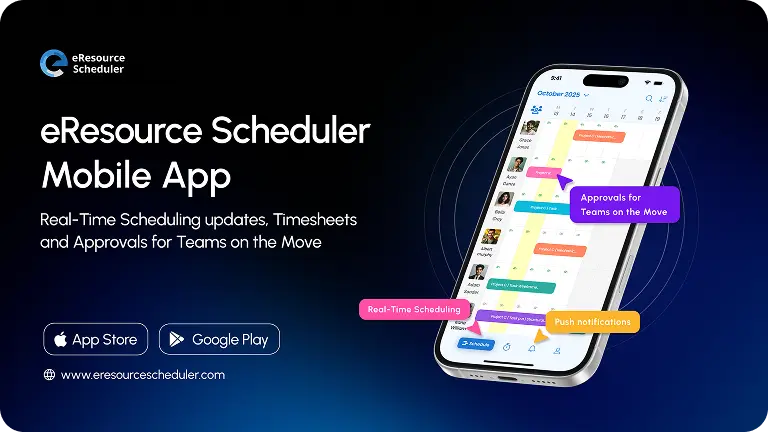
An employee scheduling app closed that gap. Today, the entire workflow runs from a phone: creating bookings, submitting timesheets, approving requests, notifying your team. This guide covers what to look for in an employee scheduling application, how mobile capability changes the equation, and how to choose the right tool for your team.
An employee scheduling application is software that centralises how an organisation assigns work to its people. It replaces manual processes like spreadsheets, email chains, and shared calendars with a single system where schedules are created, updated, and communicated in one place.
At its core, it does three things: shows who is available and when, allows managers to assign or adjust work, and gives employees visibility into their own schedules. The best scheduling apps extend this to mobile, meaning the system works whether you are at your desk or not.
What separates a scheduling application from a broader HR or project management tool is its focus. HR software manages contracts, payroll, and compliance. Project management tools track tasks and deadlines. A scheduling application manages the people doing the work, not the work itself. For teams managing multiple projects and people across locations, a purpose-built resource management software with mobile capability is the more complete solution.
Most scheduling problems do not start with bad intentions. They start with the wrong tools.
Spreadsheets were not built for scheduling. They have no live updates, no conflict detection, and no way to notify anyone when something changes. According to a 2025 employee scheduling report, managers waste 5 to 10 hours per week on manual scheduling, juggling availability, last-minute changes, and conflicts across disconnected files and email threads. That is time spent on administration instead of actual work.
The consequences of poor employee scheduling compound quickly. A missed update in a spreadsheet means someone shows up to work that has already been reassigned. A version sent by email becomes outdated the moment it lands in an inbox. These are not edge cases. They are the daily reality of teams still relying on manual processes.
Scheduling errors create a ripple effect. When the wrong resource is assigned to a project, or when someone is double-booked, the team absorbs the cost through delays, rework, or overtime.
A scheduling system that only lives on a desktop makes this worse. When a manager is in a meeting or away from their desk, changes do not get made. When someone needs to check their schedule or submit hours, they have to wait. That gap between when something needs to happen and when it actually does is where most scheduling failures occur.
The right employee scheduling application addresses each of these gaps directly. According to productivity research, 77% of employees believe that automating routine tasks would boost their productivity, and scheduling is one of the most routine tasks a team deals with. Here is what a mobile-first scheduling application fixes:
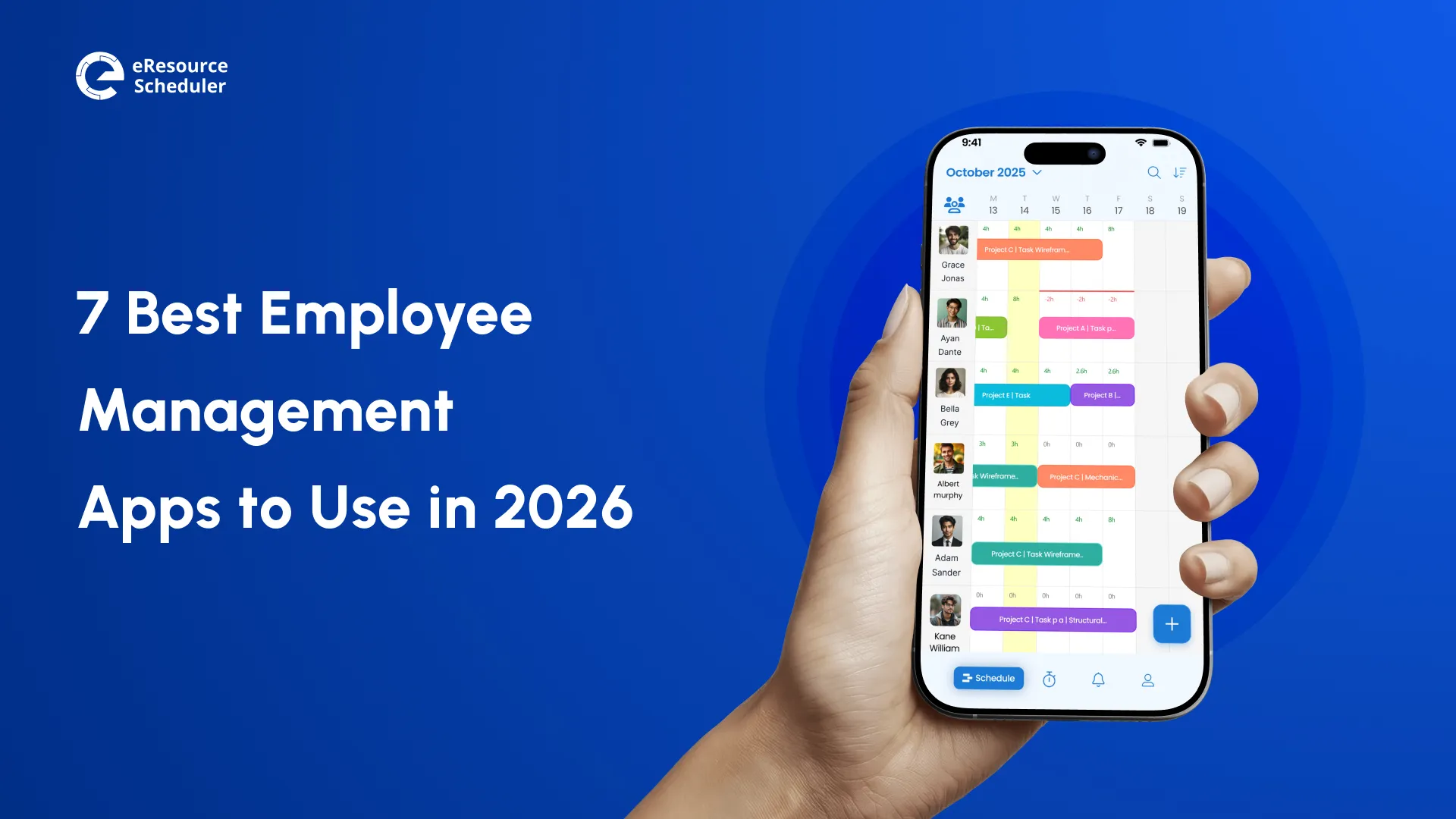
With a mobile employee scheduling application, both managers and resources can see the current schedule at any time. Managers get a full team view of who is booked, who is free, and who is overloaded. Resources see their own schedule without having to contact anyone or log into a desktop system. This visibility alone removes a significant source of confusion and miscommunication.
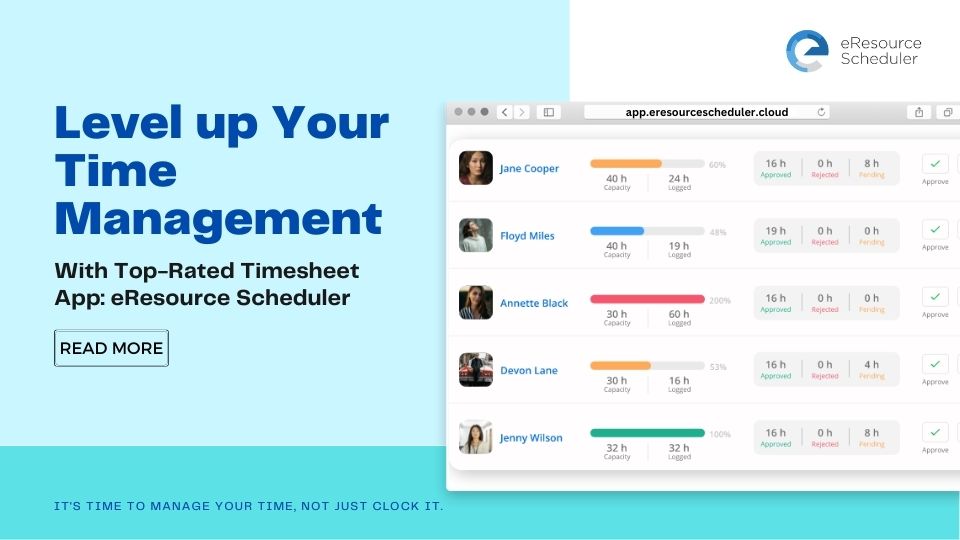
Timesheets submitted on the same day are far more accurate than entries filled in retrospectively. A mobile timesheet software lets employees log hours immediately after completing work, from their phone. Managers can approve or reject submissions in bulk without needing to be at a desk, which means approvals happen faster and payroll data stays accurate.
When a booking changes or a timesheet is submitted, everyone who needs to know finds out immediately through push notifications. This removes the need for follow-up emails, check-in calls, or chasing approvals. Schedule changes are visible to the right people the moment they happen.
Any change made on mobile reflects instantly on desktop, and vice versa. There is no version control problem, no stale data, and no need to manually update multiple places. The schedule is always current, regardless of which device was used to make a change.
Not all scheduling tools are equal. Here is how the main options compare:
| Spreadsheets | Desktop-Only Software | Mobile Scheduling App | |
| How schedules are created | Manually, in a file on someone's computer or shared drive | Through a structured interface, but only accessible from a workstation | Through a structured interface, accessible from any device |
| How changes are communicated | By sending an updated file over email, outdated the moment it is sent | Through the system, but only visible to people at a desk | Through real-time push notifications to everyone who needs to know |
| How conflicts are handled | They are not. Double bookings only surface when someone notices | The system flags conflicts, but only when a manager is logged in on desktop | The system flags conflicts instantly, from wherever the manager is |
| How timesheets are managed | Filled in manually, often retrospectively, and prone to errors | Submitted and approved on desktop only, creating approval bottlenecks | Submitted by resources on their phone, approved by managers from anywhere |
| Who it works for | Very small teams with simple, rarely changing schedules | Office-based teams where everyone works fixed hours at a desk | Distributed, remote, field, or hybrid teams across locations and devices |
For a deeper look at what to evaluate, the guide on things to look for in resource scheduling software covers the key criteria in detail.
Employers who offer flexible, accessible scheduling see a 40% higher percentage of high-performing employees . The tool you choose directly affects whether that flexibility is possible. Here are six things that actually matter when evaluating a work schedule app:
1. Mobile-first usability and ease of adoption
A scheduling app that is hard to use on mobile will not get used on mobile. Look for an interface that works intuitively on a small screen, not a desktop layout squeezed into a phone. The easier it is to use, the faster your team adopts it.
2. Real-time visibility across your team
The employee scheduling application should show which resources are booked, available, and overloaded, all in one view. Both multi-resource views for project leads and single-resource views for individual tracking should be available. If you can only see one person at a time, the app is not built for team management.
3. Booking flexibility: create, edit, move on the go
Schedule changes happen in real time. The app needs to support creating new bookings, editing existing ones, and moving assignments, all from a phone. If making a simple change requires switching to desktop, the app is not solving the problem.
4. Timesheet submission and approval workflow
Check whether resources can submit hours directly from the app and whether managers can approve or reject, including in bulk, without going to the desktop. The ability to comment on entries within the app is also worth checking. This is what makes a resource scheduling software genuinely useful rather than just a viewer.
5. Notifications and communication within the app
The app should push relevant alerts for new bookings, edits, timesheet submissions, and approvals, without overwhelming users. Look for customisable notification controls so teams receive what they need without noise.
6. Cross-device sync and permission consistency
Whatever access levels and permissions are set on desktop should carry over to mobile automatically. A team member who cannot edit bookings on desktop should not be able to do so on mobile. Consistent permissions across devices are a security and governance requirement, not a nice-to-have.
Quick detour
See how eResource Scheduler handles scheduling, timesheets, and approvals
from your phone.
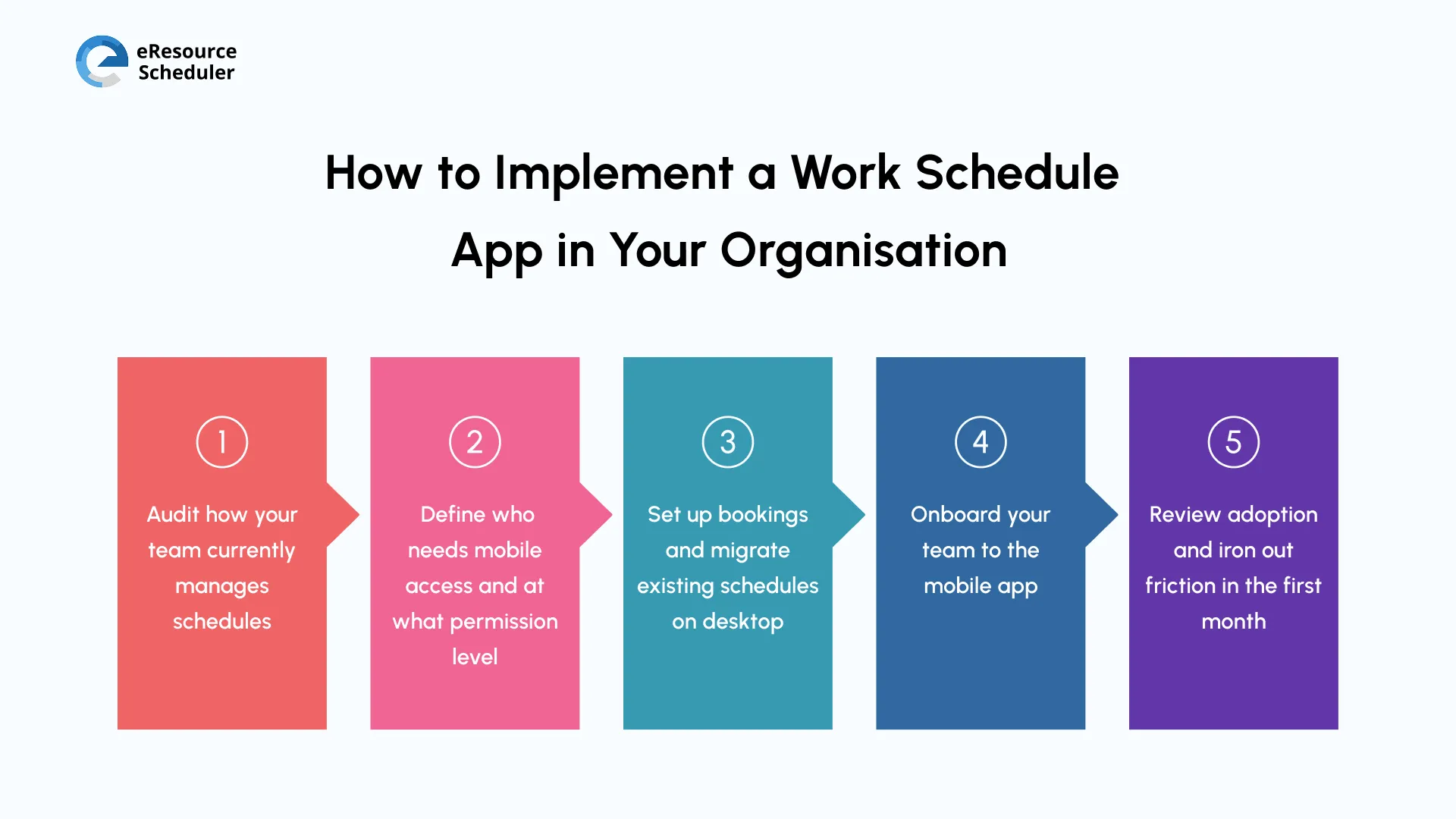
Switching to a scheduling app does not have to be disruptive. Most teams are fully up and running within a few weeks. Here is a straightforward path to getting there:
Step 1: Audit how your team currently manages schedules
Before setting anything up, map out where schedules currently live, whether spreadsheets, email, or a shared calendar, and identify the biggest pain points. Are approvals slow? Are people missing updates? Is data inaccurate? The answer shapes how you configure the new system.
Step 2: Define who needs mobile access and at what permission level
Decide which roles need full edit access, which need view-only, and which need approval rights. This prevents confusion after launch and ensures the right people can act without needing to escalate every change.
Step 3: Set up bookings and migrate existing schedules on desktop
Start on the desktop. Build your resource structure, add your team, and enter current and upcoming bookings. Getting the data right at this stage means the mobile experience is accurate from day one.
Step 4: Onboard your team to the mobile app
Keep onboarding simple. Show resources how to view their schedule, submit timesheets, and check notifications. Show managers how to approve and make bookings. A short walkthrough is usually enough, the interface should do the rest.
Step 5: Review adoption and iron out friction in the first month
Check in after two to four weeks. Are timesheets being submitted on time? Are approvals happening faster? Are there features people are not using? Early feedback helps you adjust permissions, notifications, or workflows before habits are set.
Choosing an employee scheduling application is not just a software decision, it is a decision about how your team works. The tools that only function at a desk are no longer sufficient for teams that operate across locations, time zones, and devices. The six benefits of a mobile scheduling application: flexibility, speed, accuracy, visibility, continuity, and accountability. These are only realised when the tool works where the work actually happens.
When evaluating your options, prioritise mobile usability, real-time sync, and a timesheet workflow that does not require a desktop. Those are the capabilities that separate a scheduling app that gets used from one that gets abandoned.
Frequently Asked Questions
1. What is the difference between an employee scheduling app and HR software?
HR software manages contracts, payroll, compliance, and employee records. An employee scheduling application focuses specifically on assigning work, managing availability, and tracking time. They serve different purposes and are often used together rather than as alternatives.
2. Can a small business use an employee scheduling application?
Yes. Most scheduling applications are designed to scale, from small teams of 10 to organisations with thousands of employees. The key is finding one that does not charge for features you do not need and does not require heavy IT setup to get started.
3. How is a mobile scheduling app different from a desktop scheduling tool?
A mobile scheduling app lets managers and employees view schedules, make changes, submit timesheets, and receive notifications from a phone, without needing a computer. A desktop-only tool limits all of these actions to when someone is physically at their workstation, which creates delays and bottlenecks for teams that are frequently on the move.
4. What should I look for when comparing employee scheduling apps?
Focus on six areas: mobile usability, real-time team visibility, booking flexibility, timesheet workflow, notification controls, and cross-device permission sync. Avoid tools that score well on features but require a desktop for the actions your team needs to take most frequently.
5. How long does it take to implement a scheduling app?
Most teams are operational within one to two weeks. The setup involves configuring your resource structure, migrating current schedules, and onboarding users to the mobile app. Tools with intuitive interfaces and good onboarding support reduce this timeline significantly.
eResource Scheduler is free to try for 14 days; all features included, no credit card required.

Plan Smarter. Schedule Faster. For Free.
Join thousands already using eResource Scheduler to align teams, time, and tasks seamlessly.
 ALL FEATURES INCLUDED