Learn more
Smaller budgets and reduced time-to-market have made resource management more complicated in the modern world. A large number of companies continue to use traditional management methods. The gap between those who manage resources well and those who don’t has never been more visible.
Is your team constantly scrambling to figure out who’s working on what? That means you’re not managing resources. You are firefighting. This is a problem most organizations know all too well. It’s the one that the right resource management can solve.
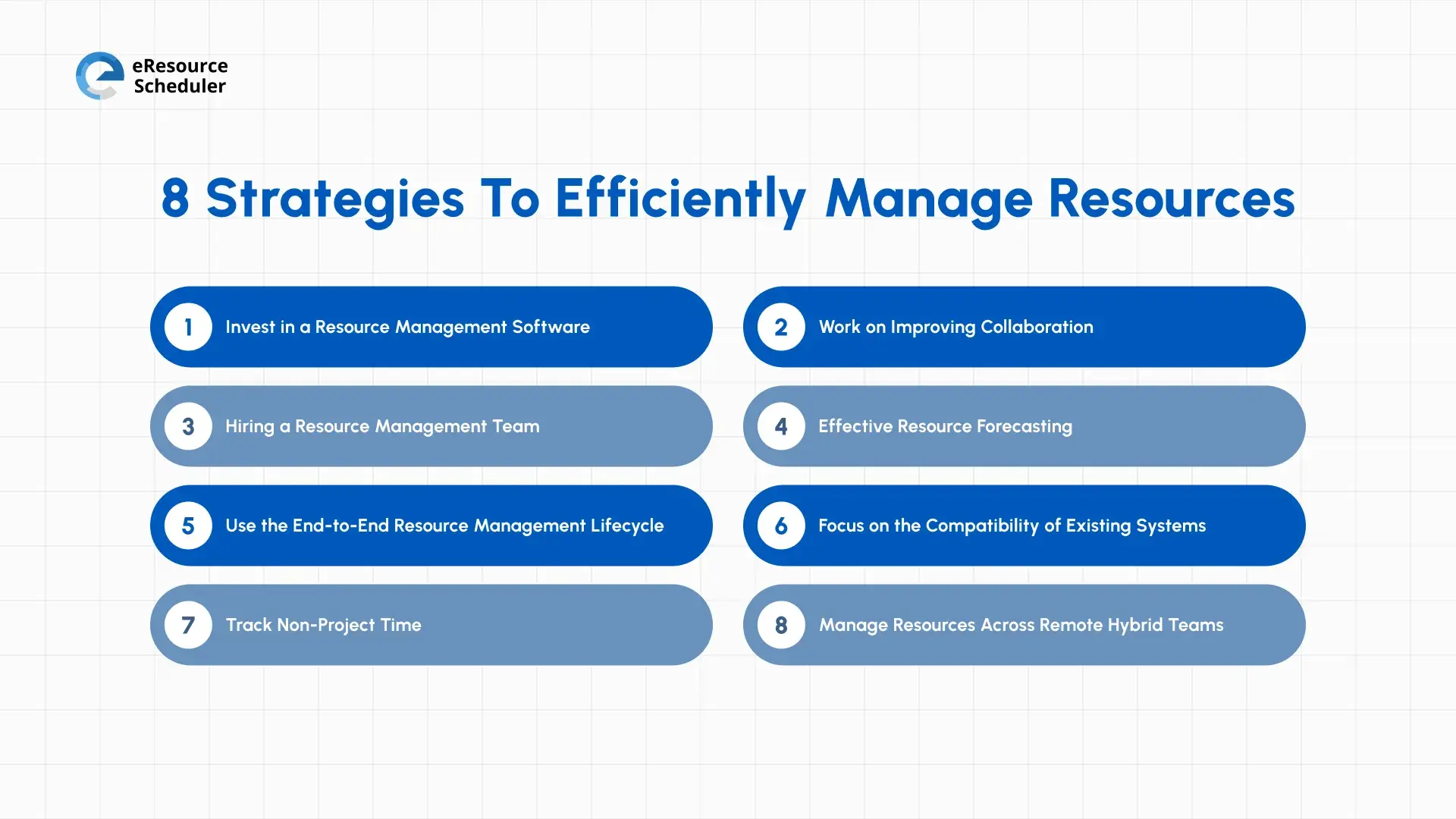
What can an organization struggling with managing resources do to improve utilization? Here are 8 popular resource management strategies. But before we get into discussing them, it helps to see where exactly traditional methods fall short compared to modern approaches.
| Factor | Traditional Approach | Modern Approach |
| Who's working on what | Managers chase updates over email or dig through spreadsheets | Everyone can see who's doing what, all in one place |
| Assigning work | Done manually, usually after a problem already shows up | Done ahead of time, based on skills and availability |
| Planning ahead | Based on experience or gut feel | Based on actual data, like how busy your team has been |
| Teamwork across departments | Each team works in its own bubble | Teams share resources and information openly |
| Remote and hybrid teams | Barely considered, if at all | Planned from the start |
| Tools talking to each other | Separate tools for planning, scheduling, and communication | One connected system where everything syncs |
| Time outside of projects | Ignored | Factored into how much work the team can actually take on |
| Tracking how resources are used | A report someone makes manually, once in a while | Automatic reports available whenever you need them |
If your organization sits mostly in the left column in the above table, the following strategies are a good place to start.
An increasing number of businesses now invest in resource management software to effectively manage their resources. Some of the top solutions come with a host of valuable features. It significantly improves the overall productivity and performance of businesses.
Some of the top features of such solutions include:
Resource scheduling solutions allow businesses to profile, identify, and schedule resources based on the project requirements. By simply scheduling the resources smartly, businesses can see a considerable improvement in the overall project completion rate.
When working at multiple locations, you have to manage multiple resource teams or managers. It is very important to have access to a pool of available resources for efficient management. Similarly, a centralized list of projects can make resource and project planning easier.
It is very important to monitor resource usage in order to optimize management. Resource management solutions offer utilization reports. These reports are created with the help of proprietary algorithms. They provide you with a clear picture of how your company’s resources are being utilized.
You’d definitely not want all of your employees to have access to all your data. As a result, many solutions allow you to control user access at different levels. This allows you to easily manage the information that you’d like to share with team members.
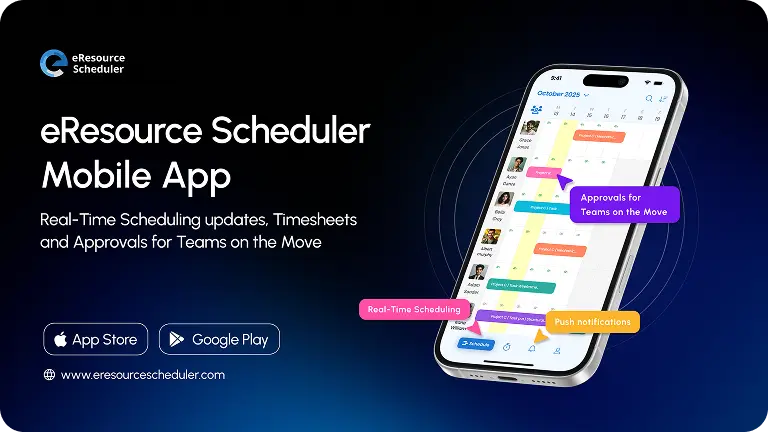
Solutions built on the cloud architecture make sure you can easily access the software anytime and anywhere. You can easily work on your resource strategy and make changes irrespective of your physical location.
A resource management and scheduling software like eResource Scheduler brings all these categories under one roof. From scheduling and utilization tracking to centralized resource pools and mobile access. Your team spends less time managing spreadsheets and more time delivering projects.

Better tools set the stage. But tools only work when the people using them are aligned. That’s where collaboration comes in.
When you want to manage organizational resources more effectively, everything boils down to one thing. Communication. Improved communication can be achieved by enhancing collaboration among different departments and people involved in the project.
Teams have much better visibility of resources when they collaborate. It also makes it easier for them to share resource-related information amongst the team. Ultimately, this empowers your business to use resources more effectively and efficiently. You can complete projects sooner with minimal delays.
Pro Tip:
Before sending that project update, run it through the Five Cs. Is it Clear, Concise, Correct, Complete, and Compassionate? According to the Forbes Coaches Council, most communication breakdowns happen when even one of these is missing. If the update ticks all five, it's ready to send.
Good collaboration doesn’t happen by accident. It requires structure and often a dedicated person or team to own it. Which brings us to the next strategy.
In most small companies, the CEO or someone in a senior position works as the resource manager. It is their job to guarantee that the available resources are used in the best possible way. While this works for smaller businesses, bigger companies need a dedicated solution.
This is because larger businesses often have their operations and resources spread across multiple locations. A growing trend among large companies is hiring dedicated resource management teams or managers for each location.
This will guarantee that you have a dedicated team or person handling the resources of each of your branches. But while doing this, make sure that they have access to a centralized pool of all your resources for transparent management throughout the organization.
Understanding what this role actually involves and how it differs from that of a project manager is something teams get wrong early on. A resource manager’s responsibilities go well beyond assigning tasks. It includes capacity planning, conflict resolution, and skills matching across projects.
When the right team structure is in place, you’re finally in a position to look ahead. Not just react.
Your employees are one of the most important assets of your organization. To achieve long-term business goals, it is important to estimate or forecast the future quality and quantity of required resources.
The numbers back this up. PMI’s Global Project Management Talent Gap Report found that global demand for project talent could grow by 64% between 2025 and 2035. The world will need up to 30 million additional project professionals, and the gap is already visible in sectors of IT, construction, and healthcare.
This is not a distant concern. If your forecasting process doesn’t account for where skills demand is heading, you’ll find yourself competing for talent that’s already been committed elsewhere. Even while working with your current employees, their requirements across different phases of the project should be estimated beforehand. Get the forecast wrong, and you will have unproductive, unhappy, and overutilized employees. This negatively affects the day-to-day operations.
Expert’s Take:
“The talent gap in our profession isn’t just a workforce issue. It’s a barrier to progress for business and for the future of the world.”
- Pierre Le Manh. President and CEO, PMI
Source: Businesswire
Forecasting resources well means you’re also planning your project life cycle well. Which is exactly what the next strategy is about.
The majority of the traditional resource management methods address a small part of the lifecycle of project development and delivery. The remaining mostly relies on the people working in your organization. However, the needs of businesses change as they grow.
Not to forget the fact that employee performance can be highly inconsistent, too. This makes using an end-to-end resource management lifecycle an ideal option for modern businesses. With multiple phases, this approach addresses the resource complexities that can arise throughout the project cycle.
Moreover, it provides sufficient time for businesses to adjust their strategy to meet the requirements. If you want to understand how it connects to broader practices, resource management techniques to do more with fewer resources, break it down further.
The lifecycle approach only works if your tools and systems are built to support each phase without friction. This leads us straight to the next point.
It is not uncommon for businesses to use many different types of technologies and systems for a host of their business operations. To improve resource utilization, a business needs to refine its system’s compatibility.
Businesses now use one tool for planning resources, another for scheduling, and multiple other solutions for communication and collaboration. The information is spread across multiple systems. It becomes difficult to access important information to make effective resource decisions. Constantly switching between systems also negatively affects the engagement of the employees. Which in turn affects their productivity.
With compatible systems, it will be easier for you to access important information for making resource-related decisions. Moreover, this will also help in keeping the employees engaged and more productive.
Even with the best systems in place, you’d be surprised how much productivity capacity goes untracked, especially outside of formal project work.
When planning your resource management strategy, make sure that you also consider non-project time, such as paid time off, administrative work time, etc. Apart from this, work on a mechanism for tracking time spent on unexpected activities. These activities reduce the productive capacity and can go unnoticed if not monitored efficiently.
Also, know that no matter how solid your project plan is, there will be considerable time loss due to everyday things. They include meetings, replying to emails, and other administrative work. Leave some extra time for such activities to be able to meet the resource management goals.
Here is an analogy. Imagine you are planning a road trip. You estimate the total driving time of the trip. But somehow forget to account for the fuel stops, traffic, or bathroom and food breaks. This is what most resource plans look like when they ignore non-project time. You’ll always arrive late.
Once you have these 7 strategies working together, you have mostly got a solid internal framework. However, there is one more dimension that most older resource management playbooks and guides don’t account for at all…
Here’s the thing. When most resource management frameworks were written, ‘the office’ was still the default. Today, that assumption is outdated.
According to the U.S. Bureau of Labor Statistics, the overall telework rate across the U.S. is 22.6% as of March 2026. This means remote and hybrid work is no longer an exception. It’s the operating model.
For resource managers, this changes everything. You can’t just walk to someone’s desk to check if they are available. You can’t easily spot who’s overwhelmed and who has the bandwidth while looking at the faces. Availability, time zones, asynchronous workflows, and digital collaboration all become variables you have to actively plan for. Do not assume away.
What does it actually mean? A few things.
This is exactly the kind of complexity that cloud-based resource management tools are for. You need something that shows you who’s available, what they are working on, and when they are free. Across every location and time zone without having to chase anyone for an update.
That’s what resource management software like eResource Scheduler is designed to do. Give a single, centralized view of their entire organization. Whether they are just down the hall or in a different country altogether. Managing remote and hybrid teams well doesn’t require a different mindset. It requires a better understanding and infrastructure.
Resource management is a never-ending cyclic process. It is a habit that is built. The good news is that with the right tools and strategies in place, you don’t need a large team or a big budget to get it right.
Start small. Pick one or two strategies from the list that address your biggest pain point right now. Lay a strong foundation and build on it. Organizations that get resource management right are not limited to delivering projects faster. They build teams that are less stressed, more focused, and better equipped to take on more.
The strategies are here. The only thing left is putting them to work. Having the right tool makes the process a whole lot easier.
1. What is a resource management strategy?
A resource management strategy is a plan that helps you to figure out who does what, when, and with what tools or budget. A good strategy keeps projects going and people productive.
2. What is the best way to manage resources in an organization?
The best way is to have a clear, live view of who’s available, what they’re working on, and what’s coming up next. This means investing in the right tool, planning ahead, and making sure your teams communicate openly across departments.
3. What are some resource management tools?
Resource management tools are software platforms that help you schedule work, track availability, monitor utilization, and forecast capacity. They range from basic scheduling apps to full-scale systems like eResource Scheduler, which give you a centralized view of your entire team’s workload across projects and locations.
4. What is the difference between resource utilization and resource availability?
Availability tells you when someone is free to take on work. Utilization tells you how much of their working time is actually being spent on productive, planned work.
5. What is the difference between resource management and resource allocation?
Resource allocation is a single decision: assigning a specific person to a specific task. Resource management is the bigger picture. It’s the ongoing process of planning, scheduling, tracking, and optimizing how your resources are used across all projects over time.

Plan Smarter. Schedule Faster. For Free.
Join thousands already using eResource Scheduler to align teams, time, and tasks seamlessly.
 ALL FEATURES INCLUDED