Learn more
Employee timesheet software isn't just about tracking hours anymore. Today, the best timesheet software for teams does way more than log time. It helps you spot project overruns, manage payroll without the headache, and actually understand where productivity's hiding (or leaking).
If you're still using spreadsheets or manual timesheets, you're not just wasting time. You're losing visibility into what's working and what's bleeding money. The right time tracking and timesheet software integrates with your existing resource scheduling software, keeps remote teams accountable, and gives you data that actually matters.
This guide covers 10 solid options for timesheet software for employees, with real talk about features, pricing, and who each tool actually works best for.
Remote and hybrid work isn't going anywhere, which means tracking who's working on what (and for how long) got a whole lot harder. Manual timesheets? They're inaccurate, easy to forget, and a pain to process. Automated timesheet software fixes that by capturing time in real time, syncing with payroll systems, and giving managers actual visibility into team capacity.
Here's what changed : companies finally realized that timesheet software isn't just an HR tool. It's a project profitability tool. When you know exactly how many hours went into each project, you can price better, allocate smarter, and stop undercharging clients. Plus, with labor compliance getting stricter across U.S. states, having clean, auditable time records isn't optional anymore.
The best timesheet software for teams also reduces the friction. Mobile apps, one-click timers, automatic reminders. Nobody likes filling out timesheets, but good software makes it painless enough that people actually do it.
1. eResource Scheduler
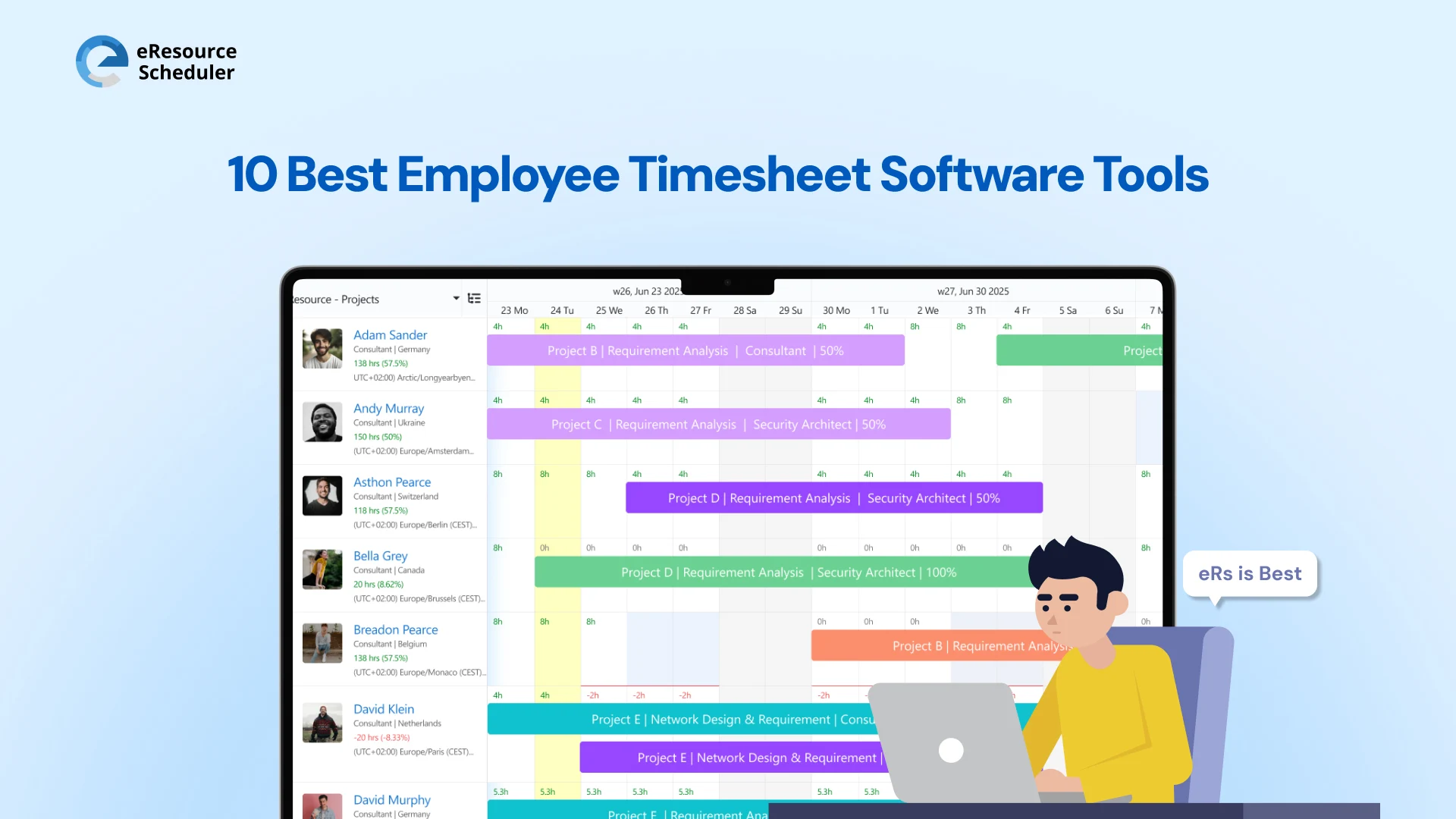
The only platform that doesn't make you jump between tools for scheduling and timesheets. eResource Scheduler handles time tracking, resource allocation, and capacity planning in one place, which means fewer integrations to manage and cleaner data for project profitability.
Why teams pick eResource Scheduler:
Best for: Agencies, consultancies, and professional services firms managing billable projects across multiple clients.
2. Clockify
The free option that doesn't feel cheap. Unlimited users and projects on the forever-free plan make it a no-brainer for bootstrapped teams.
What it does well:
Best for: Startups and small teams testing work timesheet software before committing a budget.
3. TimeCamp
Automatic tracking means your team stops forgetting to log hours. Runs quietly in the background and fills timesheets based on app usage.
Key strengths:
Best for: Creative agencies and dev teams where manual time entry becomes a bottleneck.
4. Hubstaff
Accountability-focused timesheet software for employees working remotely. Screenshots, activity levels, and GPS tracking for field teams.
What makes it different:
Best for: Distributed teams and companies with field service workers who need location verification.
5. Time Doctor
Built for companies serious about productivity analytics. It doesn't just track time; it tells you where distractions are happening.
Standout features:
Best for: Remote-first companies managing large distributed teams across time zones.
6. Everhour
Lives inside the tools your team already uses. Integrates directly into Asana, Trello, ClickUp, and other project management platforms.
Why it works:
Best for: Teams already committed to a project management tool who want native time tracking.
7. TSheets (QuickBooks Time)
The software bought TSheets for a reason. Seamless payroll sync with this software makes this the go-to for accounting-heavy operations.
Core benefits:
Best for: Small businesses already using this who need resource capacity planning tied to accounting.
8. Deputy
Scheduling and timesheets in one platform. It handles shift planning, time clocks, and labor cost forecasting together.
What it delivers:
Best for: Retail, hospitality, and healthcare teams managing shift workers with complex scheduling needs.
9. When I Work
Simple employee scheduling with timesheet tracking baked in. Built for hourly teams where shift management matters more than project tracking.
Key features:
Best for: Restaurants, retail stores, and hourly workforces where schedule changes happen constantly.
10. Homebase
Free for single-location businesses with basic needs. It bundles timesheets, scheduling, and team communication in one app.
What's included:
Best for: Single-location small businesses like cafes, gyms, and local shops running lean operations.

Start with what you actually need, not what sounds cool in a demo. If your team is fully remote, mobile access and automatic reminders aren't nice-to-haves. They're required. If you bill clients by the hour, payroll integration alone won't cut it. You need accurate project costing and client-level reporting.
Check if the software plays well with your existing stack. A timesheet tool that doesn't sync with your accounting software or project management platform just creates more work. Look for native integrations, not clunky workarounds that break every update.
Finally, think about adoption. The fanciest time tracking and timesheet software is useless if your team won't use it. Simple interfaces, mobile apps, and minimal clicks matter more than you think. Following workforce management best practices means picking tools people will actually fill out without constant nagging.
Test the free trial with your actual team before committing. What works for a 10-person startup won't work for a 50-person agency, and vice versa.
Employee timesheet software isn't about micromanaging your team. It's about having real data to make better decisions on pricing, hiring, and project planning. Whether you need something simple like Clockify or a full platform like eResource Scheduler, the right timesheet software for employees pays for itself by catching budget overruns before they happen and giving you clean records for payroll and compliance.
Pick a tool, test it with your team for two weeks, and actually look at the reports it generates. If it's not saving you time or showing you something useful, move on. The best timesheet software for teams is the one people actually use without being reminded every Friday.
Ready to fix your time tracking mess? Start with a free eResource Scheduler trial and see which platform fits your workflow, not the other way around.
1. What exactly is employee timesheet software?
Employee timesheet software is a digital tool that tracks and records work hours for payroll, project costing, and compliance. It replaces manual timesheets with automated tracking, mobile apps, and integration with accounting systems.
2. How does automated timesheet software save time?
Automated timesheet software eliminates manual data entry by using timers, background tracking, or integration with project management tools. It auto-fills timesheets, sends reminders, and syncs directly with payroll, cutting admin work by hours each week.
3. Can timesheet software integrate with existing payroll systems?
Yes. Most modern timesheet software for employees integrates with popular payroll platforms like QuickBooks, ADP, Gusto, and Paychex. Some offer direct API connections while others use CSV exports or third-party integration tools like Zapier.
4. What's the difference between free and paid timesheet tools?
Free timesheet tools typically limit advanced features like custom reporting, invoicing, project budgeting, or integrations. Paid versions offer better support, unlimited projects, detailed analytics, and compliance features needed for larger teams or billable work.
5. Why is mobile time tracking important for remote teams?
Mobile time tracking lets remote and field employees log hours from anywhere without waiting to access a desktop. It improves accuracy, reduces forgotten entries, and gives managers real-time visibility into who's working on what across different locations and time zones.


Plan Smarter. Schedule Faster. For Free.
Join thousands already using eResource Scheduler to align teams, time, and tasks seamlessly.
 ALL FEATURES INCLUDED