Learn more
You know the sinking feeling when a client messages, ‘Quick question. What is the status of project XYZ?’ and you genuinely do not have an answer? It is rarely a communication problem on its own. Most of the time, it means your resource management process and your client's expectations stopped talking to each other somewhere behind the scenes.
Getting this connection right is what client management is all about. It is the difference between clients who renew every year and those who quietly disappear after a single project. If you have noticed that some teams breeze through client relationships while others are constantly putting out fires. This gap is not talent; It is a process. Once you understand what is driving your resource allocation, the client-facing chaos tends to sort itself out too.
| Practice | Why it matters |
| Define the Scope | Prevents mismatched expectations before work even starts |
| Check Availability | Stops overallocation before it burns out your best people |
| Delegate Right | Matches skill to task instead of just filling open slots |
| Plan for Dependencies | Catches bottlenecks before the client feels the delay |
| Monitor and Reassign | Keeps small drifts from turning into missed deadlines |
With these five habits as the throughline for everything ahead, it helps to start with what client management actually covers before getting into how to do it well.
If you have ever typed ‘what is client management’ into a search bar hoping for a quick, no-nonsense answer, here it is. Client management is how you handle every touchpoint with a client, from the first conversation to the final invoice. It covers communication, setting expectations, and delivery, all working together rather than as separate boxes to check.
Some people picture it as customer service with a fancier title, but this undersells it. A real client management process touches sales, project delivery, and how you allocate your team (not just the emails you send). A client who gets a warm, prompt reply but a late deliverable is not going to remember the warmth.
Here is the part most guides skip. Managing clients well has very little to do with being a smooth talker. You can have the best bedside manner in the business, and it won’t save you if the actual work keeps slipping. Clients forgive a late reply. They rarely forgive a missed deadline.
Picture a management consultancy running four client engagements at once. Two senior consultants are booked on a due diligence project that is about to enter crunch week. Nobody checked this before staffing them on a new advisory pitch that starts the same week. On paper, both clients have ‘their people’ assigned. In practice, one client is about to get half the attention they were promised.
This is why resource allocation, matching the right people to the right tasks at the right time, sits underneath almost every client complaint you will ever get. Scope creep, missed deadlines, and rushed deliverables usually trace back to a resource decision made too late or without enough information. When you get allocation right, you are not just running an efficient project. You are protecting the relationship (quietly) before the client ever has a reason to worry.

Once you see how tightly resourcing and client happiness are connected, the next logical question is what an actual system for managing that connection looks like.
You do not need enterprise software to have a system. Plenty of small teams run a perfectly functional client management workflow out of shared docs and a well-organized inbox. What matters is not the tool; it is whether the system actually does its job.
A functional system provides you and your client the same source of truth. It should let you carve out a work plan for each engagement without starting from scratch every time, track who is doing what, and flag problems before the client has to ask about them. If your current setup requires you to dig through five different threads to answer a simple status question, this is not a system. It is a scavenger hunt with extra steps.
What your client management system should cover?
At minimum, your client management system needs to answer these five questions without you
having to chase anyone down:
• A shared view of tasks, timelines, and who owns what
• Real-time updates instead of static, outdated documents
• Easy client access to relevant files without a full data dump
• Built-in reporting so status updates don't eat your whole afternoon
• Enough flexibility to handle mid-project changes without a full rebuild
This is the baseline. Whether you build it with three tools stitched together or one software
that does it all. The test is whether it holds up multiple clients running through it at the
same time.
Once the system is in place, the real test is how you use it every day, starting with the five habits that separate client relationships that last from those that quietly fall apart.
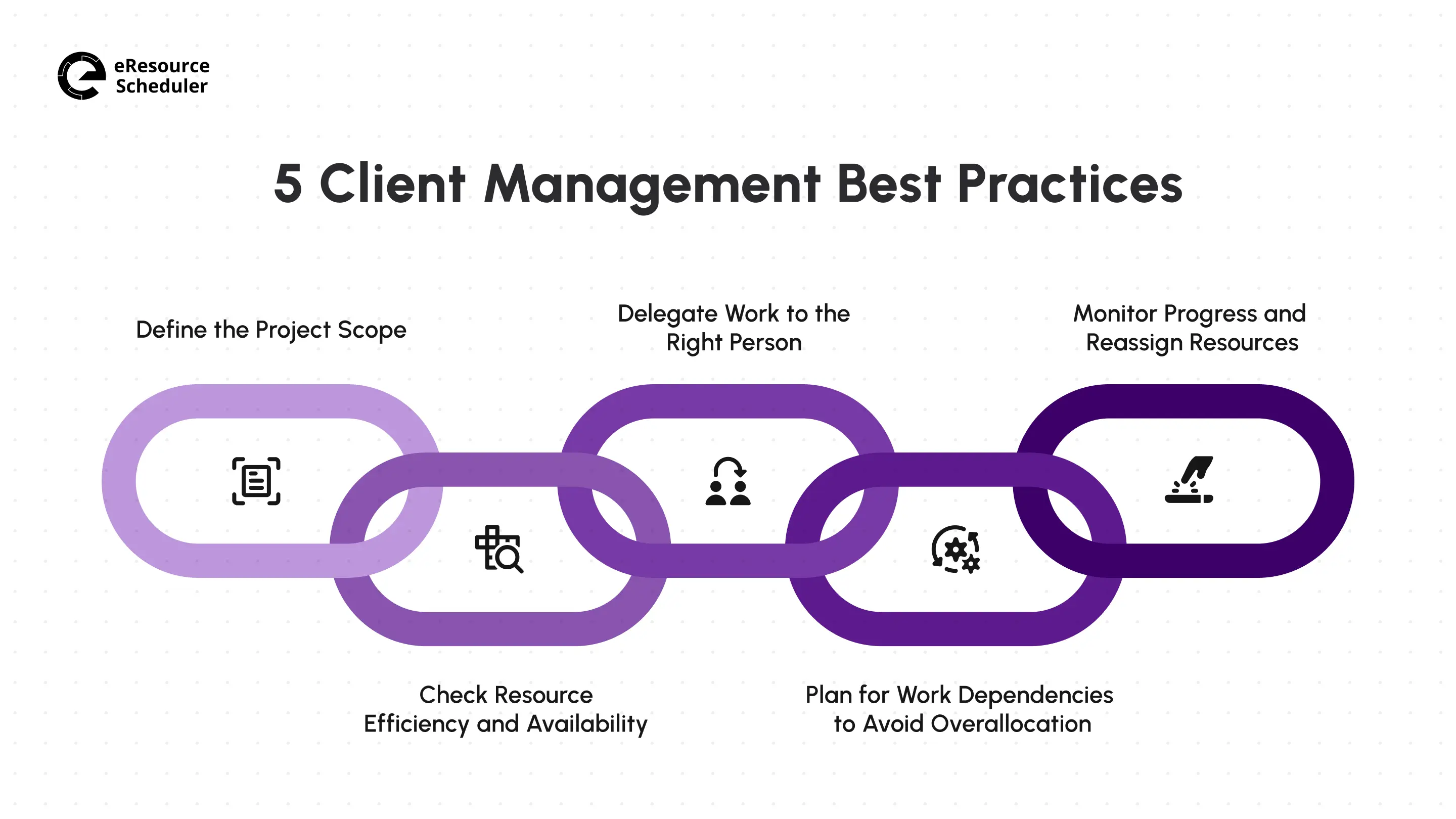
These are not complicated ideas. Most of them are things you already know you should be doing. The gap between knowing and doing is usually where client relationships get shaky, so treat this less as a checklist and more as five practices for managing client relationships worth actually building into your routine.
Every strained client relationship you have ever had probably traces back to unclear scope somewhere near the start. When you do not know what is included, what is excluded, the budget, and the timeline before work begins, you’re setting yourself up for a conversation where you and the client remember the agreement differently, and neither of you is technically wrong.
Before kicking off, write down the specific tasks involved, what is explicitly out of scope, the deadlines, and the deliverables. This is not paperwork for its sake. Once you know how to define project scope properly, you can reuse this framework for every new client rather than rebuilding it from memory each time. Once the scope is locked, use it to plan out the actual resource allocation, not the other way around.
Before you assign anyone to a project, you need an honest picture of who is actually free and who is already stretched thin. This sounds obvious, but it is the step most teams skip because checking availability across five different calendars feels like more effort than it is worth.
Skipping this step is expensive. Overallocating your best people doesn’t just burn them out. It slows every project they touch (including the one you are trying to protect). Planned time off, other client commitments, and even the natural pace all affect the definition of ‘available’. It helps to track resource availability consistently rather than relying on memory or Slack.
The Real Cost of Unmanaged Complexity
According to PMI’s 2026
Pulse of Profession, teams that manage project complexity well are five
times more likely to succeed, hitting an 88% success rate compared to just 14% for teams that
struggle with it.
It usually shows up as a dozen small resource-related decisions made without enough information.
Once you know who is actually available, the next step becomes slightly easier.
Availability tells you who can take on work. It doesn’t tell you who should. Once you know your team’s capacity, the next move is to match tasks to the people whose skills actually fit, not whoever happens to be free.
Be specific when you hand off work. Explain what is expected, why it matters to clients, and when it is due. Vague assignments create vague results, and vague results are what erode client trust fastest, usually right around the moment the client notices two people quietly redoing the same task. In eResource Scheduler, you can build out project milestones and assign tasks without digging through separate spreadsheets to figure out who is already stretched too thin.
Dependencies are unavoidable in almost any project. One task waits on another, and one person’s schedule affects everyone downstream of them. The mistake most teams make isn’t having dependencies. It is not planning around them until a client asks why something that seemed simple is suddenly two weeks late.
Resource dependencies occur when multiple tasks need the same person at the same time. Task dependencies occur when one deliverable cannot start until another finishes. Both create bottlenecks if you are not watching for them. A solid workload management approach helps you catch these collisions before they turn into a missed deadline.
When a bottleneck is unavoidable, tell the client early. A heads-up about a delay lands very differently from an apology after the fact (even when the outcome is the same).
Even a well-planned project drifts. Someone gets pulled onto an urgent fix, a client changes their mind about a feature, or a task simply takes longer than anyone expected. None of this is a failure. Not adjusting for it is.
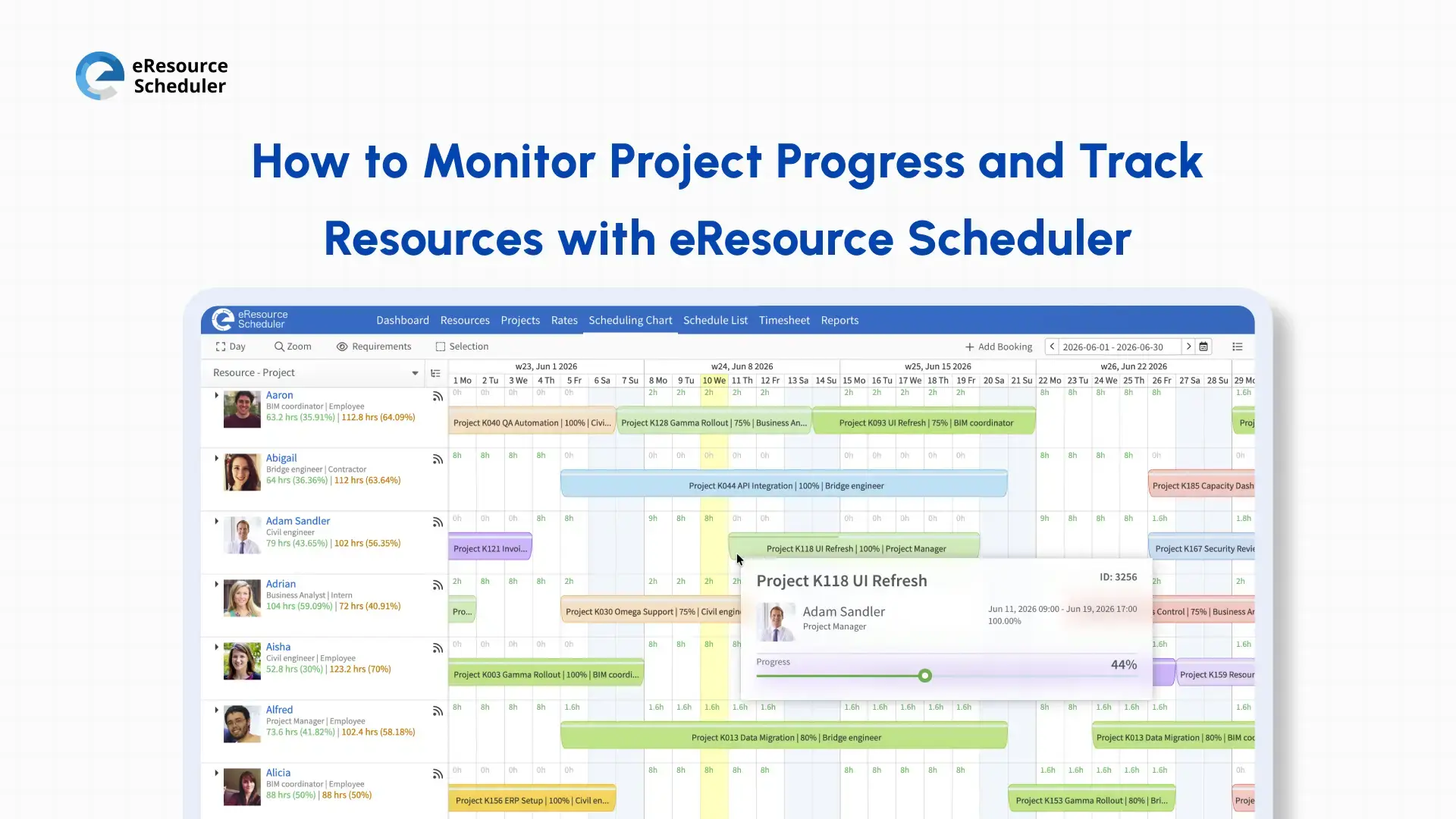
Compare your team’s workload against the client’s actual needs regularly (not just the start) and be ready to reallocate the moment something shifts. Just as important, tell the client what is changing before they notice on their own. This single habit does more for trust than almost anything else on the list. Teams that actively monitor progress and track resources in real time catch these shifts early. The adjustments happen quietly instead of after the client has already noticed something’s off.
Doing all five well by hand is possible. Doing them well every single week, across every client, is where most teams eventually need some help.
You do not need software to manage clients well. But once you are juggling more than a couple of active accounts, doing all five of these above manually starts eating hours you would rather spend on client work. This is usually where resource management software starts to earn its keep. This is especially true when the same person is staffed across several client engagements at once, where missed resource conflicts show up on an invoice.
What it actually changes is speed. A capacity check that used to take fifteen minutes of back-and-forth happens in seconds, and a reallocation is reflected everywhere at once instead of waiting for someone to update three separate places.
eResource Scheduler works this way. The software shows you who is free before you make a promise you cannot keep. The software generates reports you can hand to a client without translating them. The software lets you share progress updates without opening your entire internal workflow. None of this replaces good judgement. It just means your judgement does not get slowed down by logistics.
Here is a fair question to sit with: if a client asked you right now exactly who is working on their account this week and how much room the person has left, could you answer without checking anything? If not, this is not a communication gap. This is a resource management gap wearing the clothes of communication issues.
The five practices here do not get ‘done’. A scope you defined in January does not protect you in June once priorities shift. Availability you checked last Monday doesn’t hold once someone gets pulled onto a different fire on Tuesday. This consultancy example from earlier, two consultants double-booked across two clients, is not a one-time mistake teams make and fix. It is what happens the moment any of these five habits are treated as a launch-day task rather than a running task.


Plan Smarter. Schedule Faster. For Free.
Join thousands already using eResource Scheduler to align teams, time, and tasks seamlessly.
 ALL FEATURES INCLUDED